 NEWS
NEWS
Foldable 'iPhone Ultra' Rumored to Feature Vapor Chamber Cooling Despite Thin Design
 06/02/2026
 1127
1127
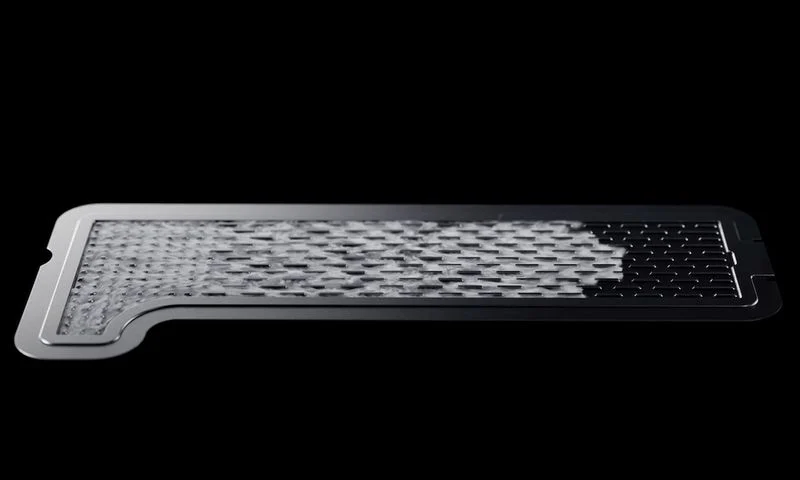
Apple's first foldable iPhone, known as the "iPhone Ultra," will feature impressive vapor chamber cooling and launch in September despite production difficulties, a known leaker today reported.
In a new post today on Weibo, the leaker known as "Fixed Focus Digital" said the foldable iPhone's pre-assembly manufacturing processes are facing pressure and that the initial production ramp-up is proving difficult. The leaker added that prevailing speculation points to the original September launch schedule holding, and teased that further positive news is expected tomorrow.
The leaker added that the device will feature vapor chamber (VC) cooling and that its thermal performance is "quite impressive," with Apple "really going all out" with its thermal engineering. The claim marks the first time a source has attributed vapor chamber cooling to the iPhone Ultra, and the detail is notable given the extent of the design compromises the device is expected to make.
Rumors suggest the iPhone Ultra could be missing at least five features present on the iPhone 17 Pro, including Face ID, a telephoto camera, MagSafe, the Action Button, and a physical SIM card slot, largely as a result of its 4.5mm folded thickness. The iPhone Air, which shares a similar ultra-thin philosophy, does not feature vapor chamber cooling, making its presence on the iPhone Ultra far from a given before today's report.
Apple overhauled the thermal design of the iPhone 17 Pro last year, adopting a vapor chamber cooling system for the first time in an iPhone. The system circulates a small amount of deionized water to move heat away from the A19 Pro chip and distribute it throughout the device's aluminum unibody frame, with Apple claiming the design delivers 40% better sustained performance for demanding tasks compared to the graphite thermal systems used in previous Pro models.
The post arrives amid a series of production difficulty reports surrounding the foldable iPhone. Earlier this month, Fixed Focus Digital pointed to yield problems at the pre-assembly stage related to surface-mount technology (SMT), distinct from a separate report by the leaker known as "Instant Digital" that attributed production difficulties to the hinge failing Apple's quality control standards under conditions of prolonged, high-frequency opening and closing.
Fixed Focus Digital's account pushed back on that framing, suggesting the hinge was not the primary source of difficulty. DigiTimes reported in April that production was already running roughly one to two months behind schedule while still maintaining that a fall 2026 launch remained on track, with mass production planned to begin in July. Fixed Focus Digital also reported in April that price negotiations with Apple's assembly partner were a potentially disruptive factor.
Despite the difficulties, the launch timeline does not appear to be at risk. Bloomberg's Mark Gurman reported in April that the iPhone Ultra is on track for a September debut alongside the iPhone 18 Pro and iPhone 18 Pro Max, though he noted the timing was not final and production had yet to ramp up. The device is expected to feature a 7.8-inch inner display, a 5.5-inch cover display, the A20 chip, the C2 modem, Touch ID in place of Face ID, and two rear cameras, with pricing rumored to start at around $2,000.
Source: Macrumors










