 NEWS
NEWS
Apple's Refurbished Store Now Offering 2019 13 and 15-Inch MacBook Pro Models
 08/21/2019
 4165
4165
Apple today added 13 and 15-inch 2019 MacBook Pro models to its online store for refurbished products in the United States, offering the updated machines at a discount for the first time.
The MacBook Pro section of Apple's refurbished store currently features several MacBook Pro models that were first released in May of 2019, with multiple configurations availableat different price points. Both stock and custom configurations are available. 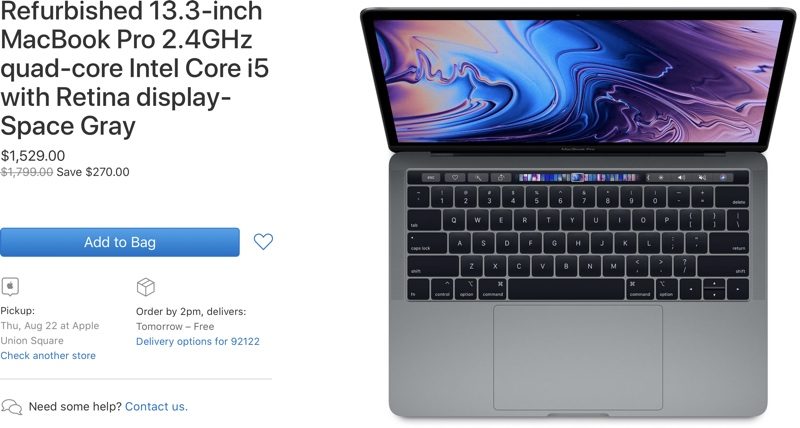
All of the refurbished MacBook Pro models are discounted by right around 15 percent. For the most affordable May 2019 13-inch MacBook Pro with a 2.4GHz processor and 256GB of storage, the discount drops the price from $1,799 to $1,529.
The new entry-level 1.4GHz 13-inch MacBook Pro models that were released in July are not yet available from the refurbished store, with only the higher-end May 2019 models discounted right now.
May 2019 MacBook Pro models feature Intel's 8th and 9th-generation processors with 8-core, 6-core and quad-core chip options. An upgraded butterfly mechanism is also included that's supposed to cut down on key failures, and there are updated graphics options.
Refurbished 2019 MacBook Pro models ship out right away, with next-day delivery available in some areas.
All of Apple's refurbished products go through a rigorous refurbishment process before being offered for sale, which includes inspection, repairs, cleaning, and repackaging. Like new purchases, refurbished Macs come with a one-year warranty that can be extended with an AppleCare+ purchase.
Source: Macrumors










