 NEWS
NEWS
Apple Says Final Intel MacBook Air and Apple Watch Series 5 Now 'Vintage'
 01/04/2026
 1223
1223
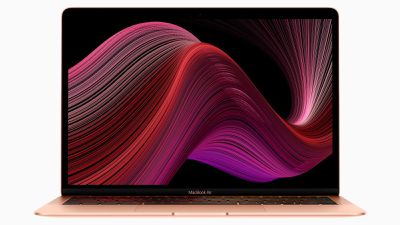
Apple today added the final 13-inch MacBook Air powered by Intel processors, the Apple Watch Series 5, and additional products to its vintage products list. The iPhone 11 Pro was also added to the list after the iPhone 11 Pro Max was added back in September.
The full list of products added to Apple's vintage and obsolete list today:
- MacBook Air (Retina, 13-inch, 2020)
- iPhone 8 Plus 128GB - other capacities were already vintage
- iPhone 11 Pro
- iPad Air 3, Wi-Fi + Cellular - Wi-Fi-only models not yet vintage
- Apple Watch Series 5, Aluminum, 40mm
- Apple Watch Series 5, Aluminum, 44mm
- Apple Watch Series 5, Ceramic, 40mm
- Apple Watch Series 5, Ceramic, 44mm
- Apple Watch Series 5 Hermes, 40mm
- Apple Watch Series 5 Hermes, 44mm
- Apple Watch Series 5 Nike, 40mm
- Apple Watch Series 5 Nike, 44mm
- Apple Watch Series 5, Stainless Steel, 40mm
- Apple Watch Series 5, Stainless Steel, 44mm
- Apple Watch Series 5, Titanium, 40mm
- Apple Watch Series 5, Titanium, 44mm
The final Intel MacBook Air was introduced in March 2020 and featured a 1.1GHz dual-core Intel Core i3, 1.1GHz quad-core Intel Core i5, or 1.2GHz quad-core Intel Core i7 processor, depending on configuration. It only remained on the market for eight months before it was discontinued when Apple debuted the M1 MacBook Air in November of that year as part of its initial Apple silicon launch.
Apple considers a device to be vintage after more than five years have passed since the company stopped distributing it for sale. Apple and Apple Authorized Service Providers may offer repairs for vintage devices, but only if parts remain available.
In addition to the newly vintage products, Apple today shifted the special-edition Beats Solo3 Wireless headphones released in 2018 to celebrate the 90th anniversary of Mickey Mouse from the vintage list to the obsolete list.
Apple considers a device to be obsolete once more that seven years have passed since it was offered for sale, and hardware service is generally unavailable for those devices. Mac laptops are, however, eligible for an extended battery-only repair period of up to 10 years from the date of discontinuation, subject to parts availability.
Source: Macrumors










