 NEWS
NEWS
Apple Watch Blood Sugar Monitoring a Step Closer as New Tech Launches
 01/09/2026
 1619
1619
Apple Watch blood sugar monitoring is something the company reportedly wanted to do right from the start. A report back in 2023 said that the very first Apple Watch was initially intended to launch with non-invasive glucose measurement as a headline feature.
There have been numerous reports since then, a number of them claiming that the health feature would launch in whatever the upcoming Apple Watch was at the time. More than a decade later, it still hasn’t happened, but the launch of a new device suggests that we might be getting closer …
Why blood sugar monitoring matters
The International Diabetes Federation estimates that more than 10% of the adult population now has diabetes, and almost half of them don’t know it. Diabetes kills millions of people a year, and the risks are particularly acute for those who develop type 2 diabetes before the age of 40.
Early diagnosis saves lives, but existing blood sugar monitoring devices are invasive. That is, they require a small needle to be inserted into the skin. For that reason, only those with a known risk are likely to use the technology.
Non-invasive device in clinical trials
Non-invasive blood sugar monitoring has long been a holy grail in health tech. If the feature could be added to a device worn by millions of people around the world, like an Apple Watch, it has the potential to save a huge number of lives.
The most promising route to non-invasive glucose measurement is via breath. So-called “acetone breath” is a common symptom of diabetes, and Wired reports that a new device utilising this is going through clinical trials and hoping to receive FDA approval at some point this year.
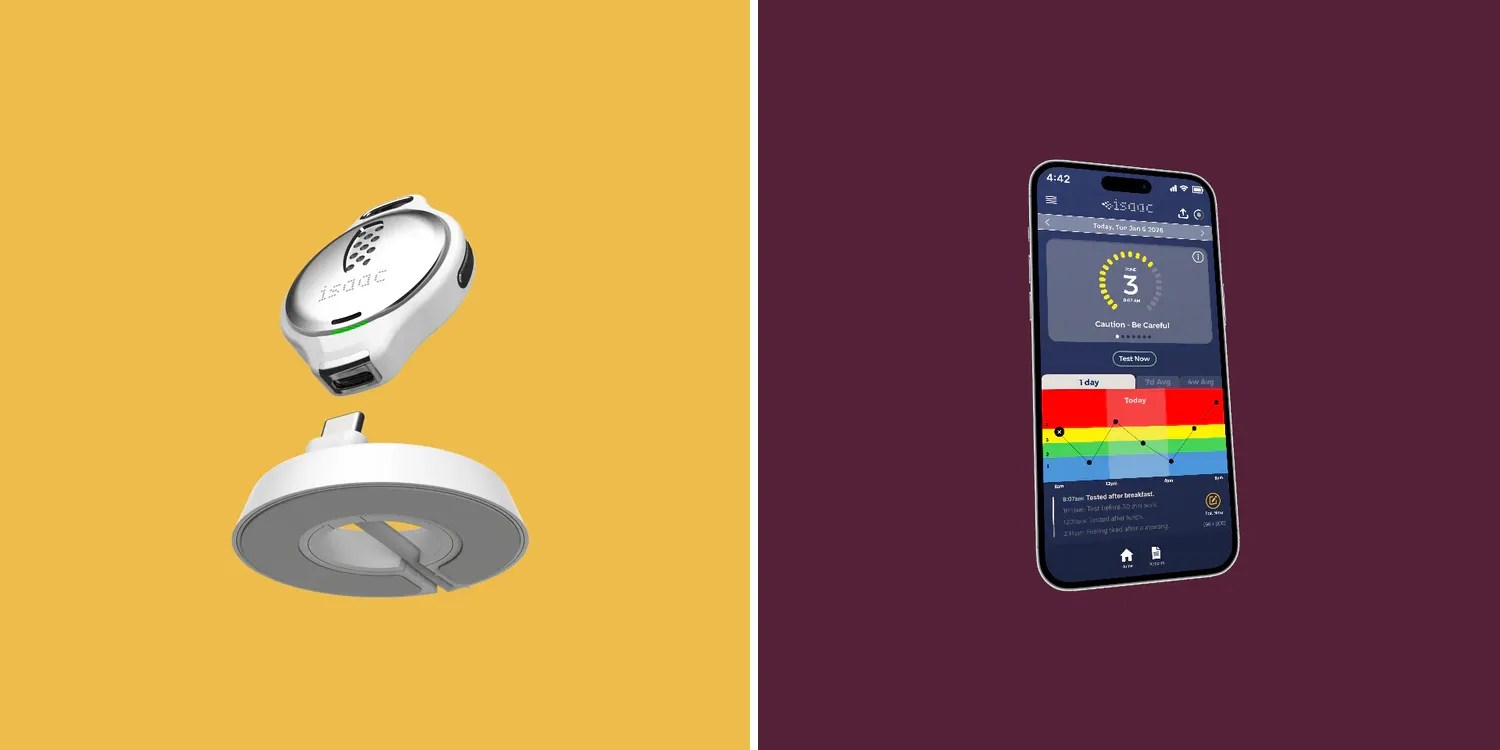
The device in testing takes the form of a pendant worn around the neck.
The Isaac is a small device, about the size of a quarter [that] measures volatile organic compounds in your breath to detect biomarkers like acetone that can be correlated with rising blood glucose levels […]
The device entered active human clinical trials at Indiana University [to compare] Isaac’s performance with monitoring blood sugar levels as compared to traditional blood sugar monitoring, starting with adolescents with type 1 diabetes and then expanding to adults with type 2 diabetes.
The trials are being conducted with an eye toward regulatory review by the US Food and Drug Administration in the upcoming year.
This tech could potentially be used in an Apple Watch
The way the device works is you hold it up to your mouth and breathe out. This means it doesn’t offer continuous measurement but be used on a daily basis, each test taking just a few seconds.
This is potentially technology that could be included in an Apple Watch. The biggest challenge appears to be miniaturization as the Isaac is currently almost the same size as an Apple Watch on its own. But if this device does indeed achieve FDA approval this year, then it’s an extremely encouraging sign for an approach which could later be adopted by Apple.
Source: 9to5mac










