
NEWS

The iPhone 8 and 8 Plus Users Complain About A Weak Microphone

11/24/2017

2996

It looks like a never-ending process has begun with the first iOS 11 bug, because with little exaggeration almost every day comes a new problem, which then spills over the Internet.


There have been a lot more here, but the latest exception is not for iPhone X users, but for the slightly less popular, yet slimy iPhone 8 and 8 Plus owners, but the current problem happens rarely for iPhone 7 as well.
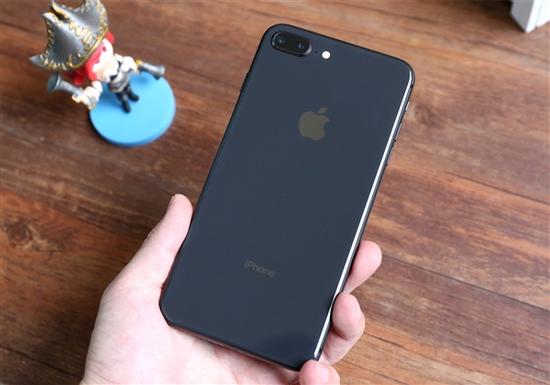

The iPhone 8 and 8 Plus Users Complain About A Weak Microphone


Let's go over the error, which is probably software, as there was no complaint in previous iOS. KeithJ80, if you do not speak directly to the microphone during a phone call, the other side will either hear nothing or drastically blur the stream.
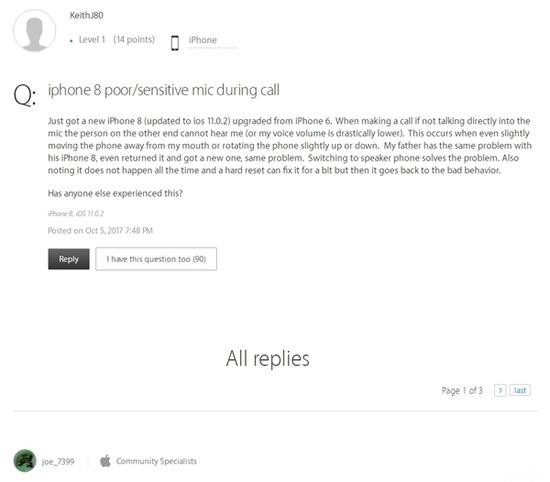

The iPhone 8 and 8 Plus Users Complain About A Weak Microphone

Apple has not yet responded to the bug, but they are using crossed fingers to release iOS 11.2 as soon as possible, and hopefully comes the bugfix.


Windows
Mac OS
iOS
Linux
3uTools
Win 64-bit For this device
V9.01 2025-12-27
Download
Win 32-bit For this device
V9.01 2025-12-27
Download
3uTools
Intel Chip How to Identify Chip Type
V9.01 2025-12-31
Download
Apple Silicon
V9.01 2025-12-31
Download
How to Identify Chip Type
1.  Click the Apple icon in the top-left corner of the screen and select About This Mac.
2.  Check the Processor or Chip field to determine if it is "Intel" or "Apple".
Please use the 3uTools PC client to install the iOS client:
1、 Install either the Windows or Mac version of 3uTools on your computer
2、 Open the PC client and connect your device to the computer via USB cable
3、 After the connection is successful, wait for the computer to automatically install the mobile app for the device, or locate “Install Mobile App” on the computer and manually click to install.
3uTools
deb file
V3.01 2025-11-20
Download
rpm file
V3.01 2025-11-20
Download
Windows
Windows
iOS
iOS
Android
Android
TV
TV
3uAirPlayer
Win 64-bit For this device
V6.0.2 2025-11-19
Download
Win 32-bit For this device
V6.0.2 2025-11-19
Download
iOS Device Mirroring (No App Required)
1、 Install 3uAirPlayer on the Windows PC
2、 Open Control Center and select Screen Mirroring
3、 From the list, choose your PC to start mirroring
4、 Or connect your iOS device to the PC via USB to begin mirroring
Scan to get "3uAirPlayer" App
3uAirPlayer TV V1.0.18
2025-11-28
TV System Requirements: Android 7.0 or later
Download the TV installation package, copy it to a USB drive, insert it into your TV or set-top box, then select the file from the home screen to install.



