 NEWS
NEWS
Apple Patent Focuses on Kinect-style Tech for Macs and MacBooks
 11/29/2017
 3612
3612
Apple is filing for - and being granted - patents on a regular basis these days. Just today, the USPTO issued a new one covering PrimeSense motion technology that could be used in Mac and MacBook devices. The tech also became part of the Face ID system, meaning Face ID could be coming to those products as well.
PrimeSense, an Israeli company acquired by Apple in 2013, created the tech that was eventually used in the Microsoft Kinect devices for the Xbox 360 and Xbox One. The inventors, Amir Hoffnung and Jonathan Pokrass, joined Apple after the acquisition. That tech eventually made its way to the iPhone X as part of the TrueDepth camera.
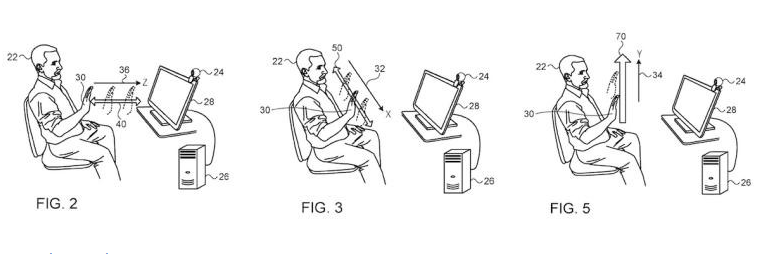
The new patent focuses on the gesture-based UI and details a device that could sit on top of a Mac or MacBook, or even be integrated, similar to the way Touch ID was used. The patent describes a Mac that recognizes hand movements as commands, negating the need for a touchpad, keyboard, or mouse.
While the patent focuses on gestures, the fact that the PrimeSense tech was used in the infrared dot projection of the TrueDepth camera means that a Face ID feature could also be in the works for Apple's other devices.
As usual, Apple is staying mum about what it plans to do with the patent. It could end up being nothing, as it has been granted similar gesture patents that have yet to make their way into any Apple products. But given the popularity of the iPhone X and Face ID, it stands to reason that the tech, and similar advancements, could be coming to Apple's Mac and MacBook line in the near future.
Source: neowin










