
NEWS

Latest Drone Tour Showing Apple Park Starting to Live

12/20/2017

2727

Matthew Roberts‘ latest 4K drone footage of Apple Park shows the campus starting to live up to its name, with a great many trees and grass areas now in place. It looks very much closer to the ‘building amid nature’ image seen in the early renders …
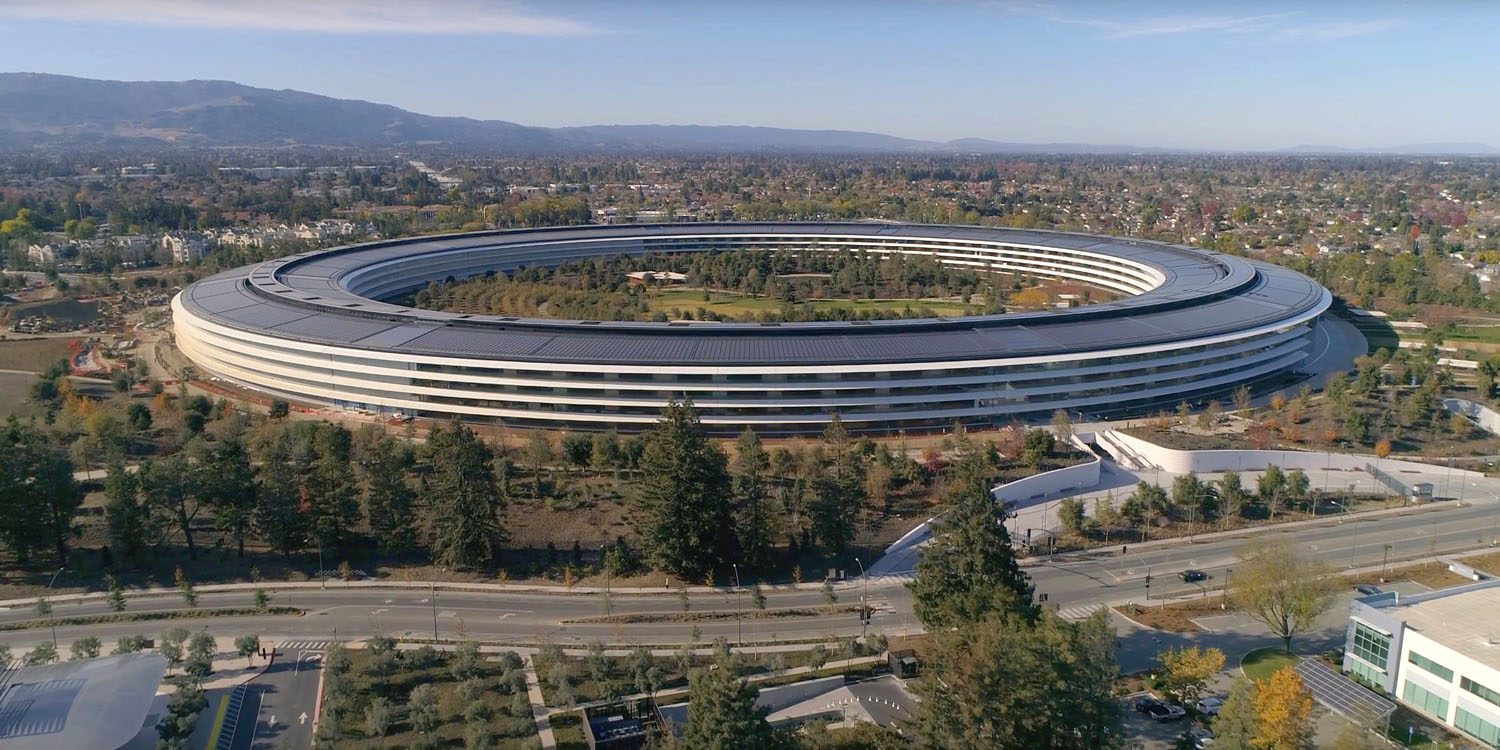

Latest Drone Tour Showing Apple Park Starting to Live


Trees also surround the large pond, and the visitor center – but not high enough to block the view of the main spaceship building from its roof terrace atop the on-site Apple Store. We got our own tour of the visitor center and accompanying AR app last month.


The Steve Jobs Theater, too, looks to be more nestled among the trees, almost giving it the appearance of a modern bandstand in a park.


We can see an outside dining terrace area, with shade, just outside the atrium.


There are, though, other areas that still look very much like a construction site, with bare earth and mounds of dirt. This is especially evident in the area between the main ring and the fitness center.


Source: 9to5mac

Windows
Mac OS
iOS
Linux
3uTools
Win 64-bit For this device
V9.01 2025-12-27
Download
Win 32-bit For this device
V9.01 2025-12-27
Download
3uTools
Intel Chip How to Identify Chip Type
V9.01 2025-12-31
Download
Apple Silicon
V9.01 2025-12-31
Download
How to Identify Chip Type
1.  Click the Apple icon in the top-left corner of the screen and select About This Mac.
2.  Check the Processor or Chip field to determine if it is "Intel" or "Apple".
Please use the 3uTools PC client to install the iOS client:
1、 Install either the Windows or Mac version of 3uTools on your computer
2、 Open the PC client and connect your device to the computer via USB cable
3、 After the connection is successful, wait for the computer to automatically install the mobile app for the device, or locate “Install Mobile App” on the computer and manually click to install.
3uTools
deb file
V3.01 2025-11-20
Download
rpm file
V3.01 2025-11-20
Download
Windows
Windows
iOS
iOS
Android
Android
TV
TV
3uAirPlayer
Win 64-bit For this device
V6.0.2 2025-11-19
Download
Win 32-bit For this device
V6.0.2 2025-11-19
Download
iOS Device Mirroring (No App Required)
1、 Install 3uAirPlayer on the Windows PC
2、 Open Control Center and select Screen Mirroring
3、 From the list, choose your PC to start mirroring
4、 Or connect your iOS device to the PC via USB to begin mirroring
Scan to get "3uAirPlayer" App
3uAirPlayer TV V1.0.18
2025-11-28
TV System Requirements: Android 7.0 or later
Download the TV installation package, copy it to a USB drive, insert it into your TV or set-top box, then select the file from the home screen to install.




