
NEWS

Apple Launches its Boxing Day iTunes Sale with Album Deals in Canada

12/27/2017

2501

As it does every year, Apple is helping you spend those holiday gift cards you’ve received by again joining in on the Boxing Day deals today. The company is highlighting a featured section in the Canadian iTunes store offering a selection of new and popular albums for under $7.


Apple often takes part in the shopping holiday that’s officially recognized in Canada, the UK, Australia, New Zealand and elsewhere. While Apple has in past years had deals in several countries including the UK, this year it appears to be only offering the album discounts for Boxing Day on the Canadian iTunes store (as pictured above and below).
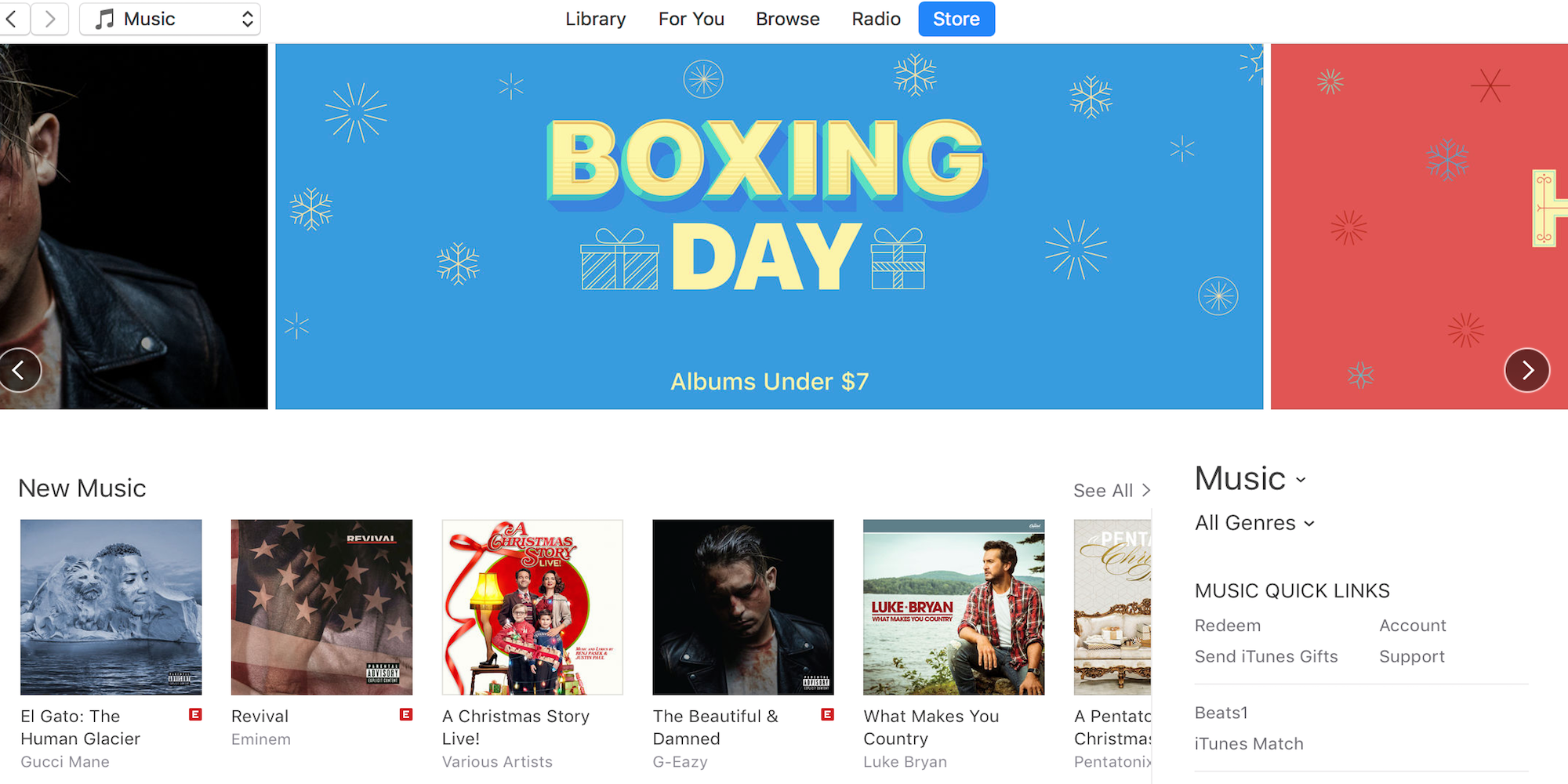

Apple Launches its Boxing Day iTunes Sale with Album Deals in Canada


Boxing Day is officially recognized the day after Christmas Day on December 26 in Canada, and retailers, including Apple, typically feature deals for the entire week much like Black Friday in the US. The company is offering album deals on iTunes like it has in past years, but doesn’t usually offer deals on products through its Apple retail stores or online store.


The album deals available now include many new releases and a number of best sellers and classic albums all for $6.99. You can browse the whole section here.


Source: 9to5mac

Windows
Mac OS
iOS
Linux
3uTools
Win 64-bit For this device
V9.01 2025-12-27
Download
Win 32-bit For this device
V9.01 2025-12-27
Download
3uTools
Intel Chip How to Identify Chip Type
V9.01 2025-12-31
Download
Apple Silicon
V9.01 2025-12-31
Download
How to Identify Chip Type
1.  Click the Apple icon in the top-left corner of the screen and select About This Mac.
2.  Check the Processor or Chip field to determine if it is "Intel" or "Apple".
Please use the 3uTools PC client to install the iOS client:
1、 Install either the Windows or Mac version of 3uTools on your computer
2、 Open the PC client and connect your device to the computer via USB cable
3、 After the connection is successful, wait for the computer to automatically install the mobile app for the device, or locate “Install Mobile App” on the computer and manually click to install.
3uTools
deb file
V3.01 2025-11-20
Download
rpm file
V3.01 2025-11-20
Download
Windows
Windows
iOS
iOS
Android
Android
TV
TV
3uAirPlayer
Win 64-bit For this device
V6.0.2 2025-11-19
Download
Win 32-bit For this device
V6.0.2 2025-11-19
Download
iOS Device Mirroring (No App Required)
1、 Install 3uAirPlayer on the Windows PC
2、 Open Control Center and select Screen Mirroring
3、 From the list, choose your PC to start mirroring
4、 Or connect your iOS device to the PC via USB to begin mirroring
Scan to get "3uAirPlayer" App
3uAirPlayer TV V1.0.18
2025-11-28
TV System Requirements: Android 7.0 or later
Download the TV installation package, copy it to a USB drive, insert it into your TV or set-top box, then select the file from the home screen to install.




