
NEWS

Apple Employee Shuttles are Being Attacked During Work Commute to Campus

01/18/2018

2618

Every day, Apple runs a shuttle service from San Francisco to Apple’s headquarters in Cupertino to help employees commute to work. Sadly, some of these buses have been attacked in the last week by unknown criminals resulting in smashed windows. Mashable confirmed with Apple that the incidents were happening but the company did not say how the buses were being damaged; presumably someone is throwing objects (rocks?) to break the glass.
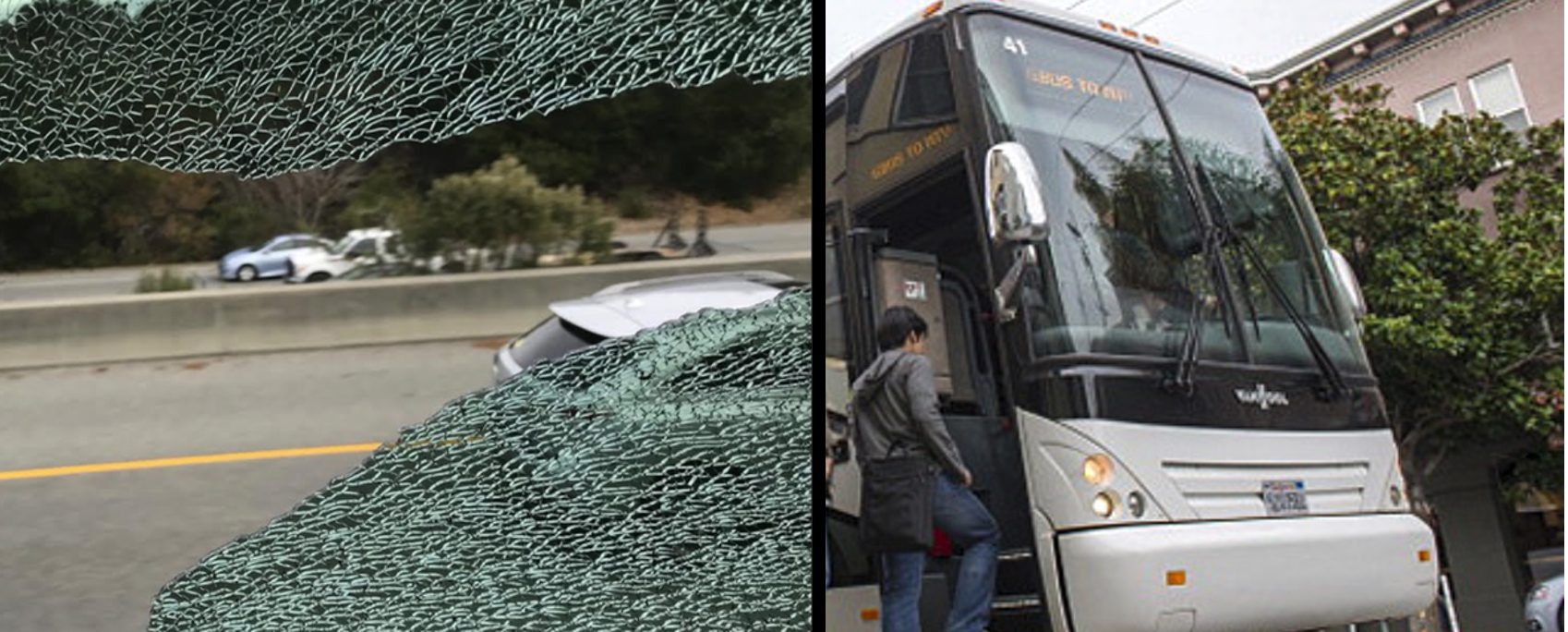


Apple Employee Shuttles are Being Attacked During Work Commute to Campus

Obviously, this causes unnecessary damage to the vehicles and poses a safety risk to the driver and passengers.


For employee safety, Apple has re-routed the shuttles until they can deal with the problem, avoiding highway 280. The company warned workers that this may add up to 45 minutes of time onto people’s commutes.


Apple says the local police are involved in stopping the criminal activity so that normal shuttle service can resume.


It isn’t clear why these criminal protests are taking place. Some San Francisco residents have complained about company shuttles in the past as they further inflate house prices as many workers at tech companies decide to live in San Francisco even if the campus is based elsewhere (like Apple in Cupertino) because the shuttles provide convenient commuting options.


There is also a general resentment in San Francisco towards tech companies for driving up rents regardless, and attacking the shuttles may be the outlet for this anger. At this time, though, this is just speculation as any motivation is not known.


Source: 9to5mac

Windows
Mac OS
iOS
Linux
3uTools
Win 64-bit For this device
V9.01 2025-12-27
Download
Win 32-bit For this device
V9.01 2025-12-27
Download
3uTools
Intel Chip How to Identify Chip Type
V9.01 2025-12-31
Download
Apple Silicon
V9.01 2025-12-31
Download
How to Identify Chip Type
1.  Click the Apple icon in the top-left corner of the screen and select About This Mac.
2.  Check the Processor or Chip field to determine if it is "Intel" or "Apple".
Please use the 3uTools PC client to install the iOS client:
1、 Install either the Windows or Mac version of 3uTools on your computer
2、 Open the PC client and connect your device to the computer via USB cable
3、 After the connection is successful, wait for the computer to automatically install the mobile app for the device, or locate “Install Mobile App” on the computer and manually click to install.
3uTools
deb file
V3.01 2025-11-20
Download
rpm file
V3.01 2025-11-20
Download
Windows
Windows
iOS
iOS
Android
Android
TV
TV
3uAirPlayer
Win 64-bit For this device
V6.0.2 2025-11-19
Download
Win 32-bit For this device
V6.0.2 2025-11-19
Download
iOS Device Mirroring (No App Required)
1、 Install 3uAirPlayer on the Windows PC
2、 Open Control Center and select Screen Mirroring
3、 From the list, choose your PC to start mirroring
4、 Or connect your iOS device to the PC via USB to begin mirroring
Scan to get "3uAirPlayer" App
3uAirPlayer TV V1.0.18
2025-11-28
TV System Requirements: Android 7.0 or later
Download the TV installation package, copy it to a USB drive, insert it into your TV or set-top box, then select the file from the home screen to install.




