
NEWS

Colgate’s New Smart Toothbrush Is Exclusive to Apple Stores

01/19/2018

2620

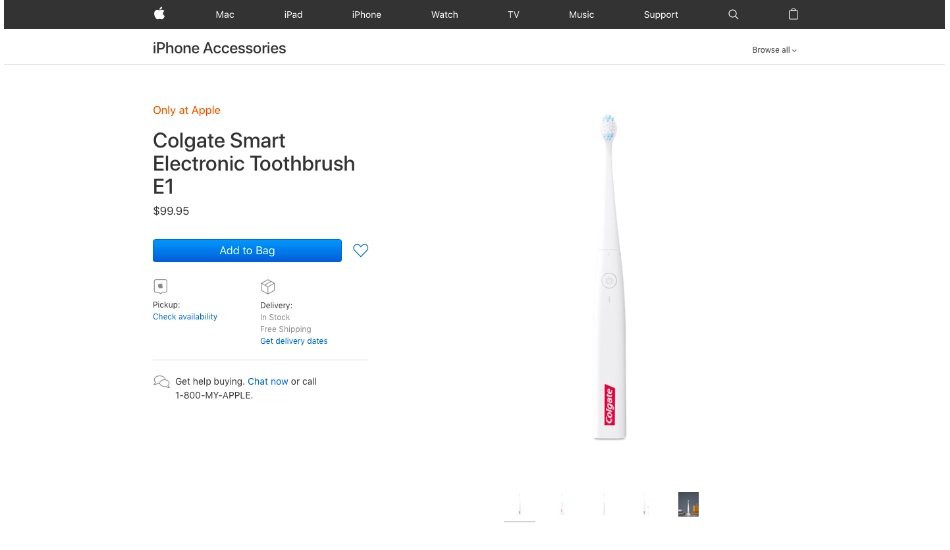
The Colgate E1 is the first smart toothbrush from the dental hygiene company, and it’s teaming up with Apple to exclusively sell it in Apple Stores and on Apple’s website.


The E1 comes with a companion Colgate Connect iOS app (shockingly, there doesn’t seem to be an Android app available for this Apple Store exclusive product), which helps track your brushing habits, map out your mouth, coach you on your brushing techniques, and play games. Because everyone wants to play games with their Bluetooth-connected toothbrush.

Colgate’s New Smart Toothbrush Is Exclusive to Apple Stores

Colgate isn’t the first to make a smart toothbrush, either. There have been plenty of others, most of them made by smart toothbrush maker Kolibree. In fact, according to Colgate’s website, the E1 uses technology from Kolibree, although, if you compare the E1 to the existing Kolibree Ara toothbrush released last year, “shameless Colgate-rebranding” might be the better description, seeing as the two products look virtually identical and appear to offer the same set of features.


The Colgate E1 costs $99 from the Apple Store, or $29 less than the $129 Kolibree Ara, although it’s worth noting that the Ara works with Android, if that’s a must have for your smart toothbrush.


Source: theverge

Windows
Mac OS
iOS
Linux
3uTools
Win 64-bit For this device
V9.01 2025-12-27
Download
Win 32-bit For this device
V9.01 2025-12-27
Download
3uTools
Intel Chip How to Identify Chip Type
V9.01 2025-12-31
Download
Apple Silicon
V9.01 2025-12-31
Download
How to Identify Chip Type
1.  Click the Apple icon in the top-left corner of the screen and select About This Mac.
2.  Check the Processor or Chip field to determine if it is "Intel" or "Apple".
Please use the 3uTools PC client to install the iOS client:
1、 Install either the Windows or Mac version of 3uTools on your computer
2、 Open the PC client and connect your device to the computer via USB cable
3、 After the connection is successful, wait for the computer to automatically install the mobile app for the device, or locate “Install Mobile App” on the computer and manually click to install.
3uTools
deb file
V3.01 2025-11-20
Download
rpm file
V3.01 2025-11-20
Download
Windows
Windows
iOS
iOS
Android
Android
TV
TV
3uAirPlayer
Win 64-bit For this device
V6.0.2 2025-11-19
Download
Win 32-bit For this device
V6.0.2 2025-11-19
Download
iOS Device Mirroring (No App Required)
1、 Install 3uAirPlayer on the Windows PC
2、 Open Control Center and select Screen Mirroring
3、 From the list, choose your PC to start mirroring
4、 Or connect your iOS device to the PC via USB to begin mirroring
Scan to get "3uAirPlayer" App
3uAirPlayer TV V1.0.18
2025-11-28
TV System Requirements: Android 7.0 or later
Download the TV installation package, copy it to a USB drive, insert it into your TV or set-top box, then select the file from the home screen to install.




