NEWS

Tim Cook’s Follow-up Meetings after Trump Seemingly Confirm China Focus

04/27/2018

2147

Tim Cook’s Follow-up Meetings after Trump Seemingly Confirm China Focus


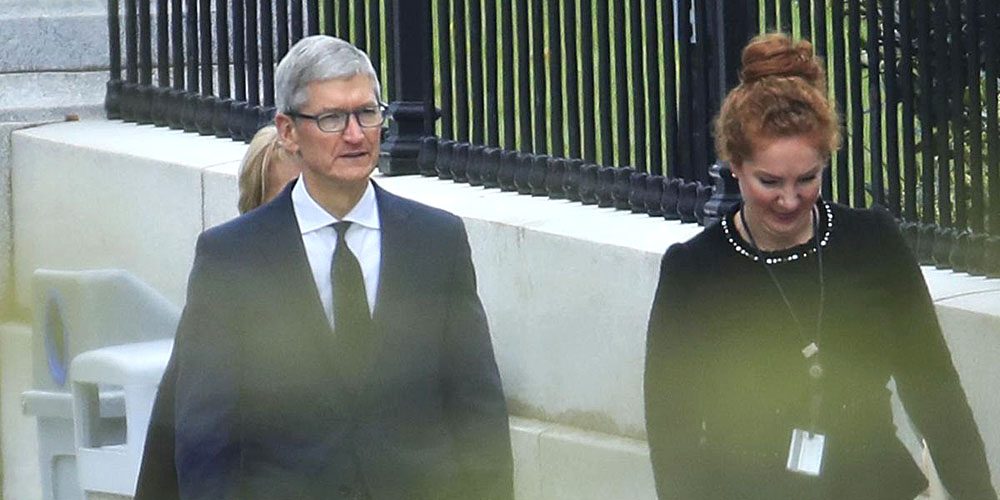
A tweet by President Trump suggested that foreign trade would be a focus for yesterday’s Oval Office meeting with Apple CEO Tim Cook.


This now appears to be confirmed by follow-up meetings Cook had whilst in Washington.


Reuters reported the meetings.

"Cook, who has urged calm during the recent flare in U.S. trade tensions with China, held private talks with Trump in the Oval Office. He also spoke with the president’s top economic adviser Larry Kudlow and U.S. Trade Representative Robert Lighthizer."


The meetings followed the beginnings of a trade war between the USA and China. Trump kicked things off by announcing plans for hefty import tariffs on steel and aluminum, before setting his sights on consumer electronics.


Lobbying by Apple and other tech companies seems to have persuaded Trump to back off, but his threat of $100M of duties on Chinese imports led to China retaliating with an initial round of $50M tariffs on US imports.


Cook will have been seeking to calm the waters and play his part in seeking to avert an all-out trade war between the two countries which are likely to damage both economies. It’s often been said that there are no winners in trade wars, only losers.


Cook and Trump disagree on many other issues, among them DACAimmigration more generally, diversity and climate change. The two do at least agree on corporate tax reform, however. A White House official described the meeting as ‘good’ while Apple made no comment.


Source: 9to5mac

Windows
Mac OS
iOS
Linux
3uTools
Win 64-bit For this device
V9.01 2025-12-27
Download
Win 32-bit For this device
V9.01 2025-12-27
Download
3uTools
Intel Chip How to Identify Chip Type
V9.01 2025-12-31
Download
Apple Silicon
V9.01 2025-12-31
Download
How to Identify Chip Type
1.  Click the Apple icon in the top-left corner of the screen and select About This Mac.
2.  Check the Processor or Chip field to determine if it is "Intel" or "Apple".
Please use the 3uTools PC client to install the iOS client:
1、 Install either the Windows or Mac version of 3uTools on your computer
2、 Open the PC client and connect your device to the computer via USB cable
3、 After the connection is successful, wait for the computer to automatically install the mobile app for the device, or locate “Install Mobile App” on the computer and manually click to install.
3uTools
deb file
V3.01 2025-11-20
Download
rpm file
V3.01 2025-11-20
Download
Windows
Windows
iOS
iOS
Android
Android
TV
TV
3uAirPlayer
Win 64-bit For this device
V6.0.2 2025-11-19
Download
Win 32-bit For this device
V6.0.2 2025-11-19
Download
iOS Device Mirroring (No App Required)
1、 Install 3uAirPlayer on the Windows PC
2、 Open Control Center and select Screen Mirroring
3、 From the list, choose your PC to start mirroring
4、 Or connect your iOS device to the PC via USB to begin mirroring
Scan to get "3uAirPlayer" App
3uAirPlayer TV V1.0.18
2025-11-28
TV System Requirements: Android 7.0 or later
Download the TV installation package, copy it to a USB drive, insert it into your TV or set-top box, then select the file from the home screen to install.