 NEWS
NEWS
Trump Says will Meet Apple CEO Tim Cook for Dinner
 08/13/2018
 2664
2664
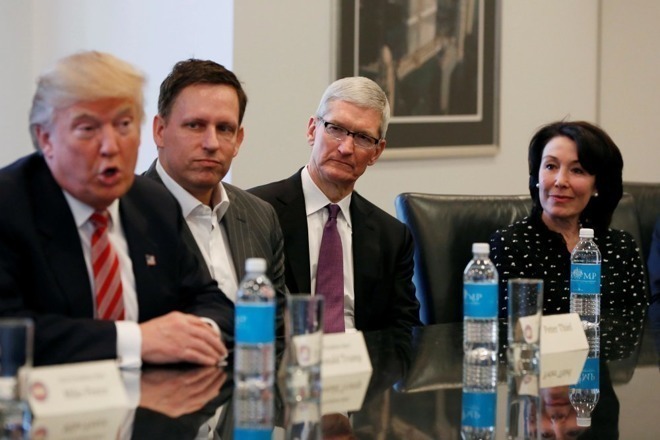
President Trump announced on Twitter Friday that he was planning to have dinner with Apple's Cook. Trump is spending the week at this resort in Bedminster, N.J., so the dinner meeting is presumably taking place there or somewhere nearby.
Had a very good phone call with @EmmanuelMacron, President of France. Discussed various subjects, in particular Security and Trade. Many other calls and conversations today. Looking forward to dinner tonight with Tim Cook of Apple. He is investing big dollars in U.S.A.
— Donald J. Trump (@realDonaldTrump) August 10, 2018
Cook and Trump most recently met at the White House on April 25, when they mostly discussed trade policy. At some point after that, the administration reportedly promised Cook that the iPhone would be exempted from any tariffs placed on China.
Cook at times has been critical of Trump and his policies, especially in terms of immigration policy, but the CEO has also praised last year's tax reform package and has not at any point openly feuded with the president.
In a recent recent filing with the U.S. Securities and Exchange Commission, Apple warned investors that tariffs and protectionism could negatively impact fiscal performance. Though the company did not mention U.S.-China trade tensions, Apple is most likely referring to recent Trump administration decisions.
In recent weeks, Trump has on multiple occasions referred to Apple building "new plants" in the United States. Apple has not announced any such plans, although the president may be referring to a new campus or Apple supplier Foxconn's new plant in Wisconsin, the latter of which broke ground early this year.President Trump announced on Twitter Friday that he was planning to have dinner with Apple's Cook. Trump is spending the week at this resort in Bedminster, N.J., so the dinner meeting is presumably taking place there or somewhere nearby.
Source: appleinsider










