
NEWS

The Thousand-dollar iPhone X Could be the New Normal

08/15/2018

2602

With a base price of $999, the iPhone X set the record for the most expensive iPhone ever, but that clearly hasn't stopped consumers from snatching it up. Despite the sceptics who doubted whether it would sell as well, the 10th anniversary iPhone has been Apple's best seller each week since it went on sale Nov. 3.


At this rate, why wouldn't Apple apply the same business model to the 2018 iPhone lineup? We're expecting at least one of the three rumored iPhones to share the same price tag.


And it looks like the competition has already taken note. Samsung's newly released Galaxy Note 9 is also priced at $999, a $50 increase over last year's Note 8.
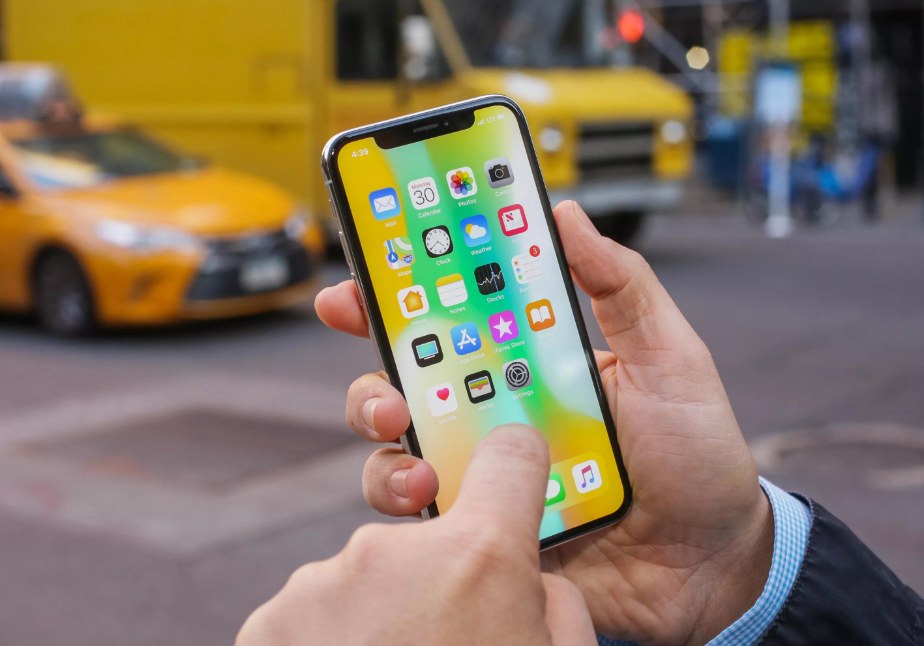

The Thousand-dollar iPhone X Could be the New Normal


Even "value" OnePlus signals that price hikes are here to stay. In addition to rising prices for components, companies like Apple and Samsung are seeking higher profit margins per unit to compensate for the fact that people aren't trading up their phones as frequently as before.


Source: cnet

Windows
Mac OS
iOS
Linux
3uTools
Win 64-bit For this device
V9.01 2025-12-27
Download
Win 32-bit For this device
V9.01 2025-12-27
Download
3uTools
Intel Chip How to Identify Chip Type
V9.01 2025-12-31
Download
Apple Silicon
V9.01 2025-12-31
Download
How to Identify Chip Type
1.  Click the Apple icon in the top-left corner of the screen and select About This Mac.
2.  Check the Processor or Chip field to determine if it is "Intel" or "Apple".
Please use the 3uTools PC client to install the iOS client:
1、 Install either the Windows or Mac version of 3uTools on your computer
2、 Open the PC client and connect your device to the computer via USB cable
3、 After the connection is successful, wait for the computer to automatically install the mobile app for the device, or locate “Install Mobile App” on the computer and manually click to install.
3uTools
deb file
V3.01 2025-11-20
Download
rpm file
V3.01 2025-11-20
Download
Windows
Windows
iOS
iOS
Android
Android
TV
TV
3uAirPlayer
Win 64-bit For this device
V6.0.2 2025-11-19
Download
Win 32-bit For this device
V6.0.2 2025-11-19
Download
iOS Device Mirroring (No App Required)
1、 Install 3uAirPlayer on the Windows PC
2、 Open Control Center and select Screen Mirroring
3、 From the list, choose your PC to start mirroring
4、 Or connect your iOS device to the PC via USB to begin mirroring
Scan to get "3uAirPlayer" App
3uAirPlayer TV V1.0.18
2025-11-28
TV System Requirements: Android 7.0 or later
Download the TV installation package, copy it to a USB drive, insert it into your TV or set-top box, then select the file from the home screen to install.




