 NEWS
NEWS
Kickstarter Campaign Offers Nostalgic Apple Pillow Collection
 08/17/2018
 2830
2830
I wouldn’t have foreseen much overlap in the market for Apple memorabilia and that for throw pillows, but one Kickstarter campaign seems to be proving me wrong …
The Iconic Pillow Collection is a set of throw pillows mimicking the designs of five key Apple products through the years:
The Apple II (1977)
Macintosh (1984)
iMac G3 (1998)
iPod (2001)
iPhone (2007)
It smashed through its admittedly modest funding goal on the first day.
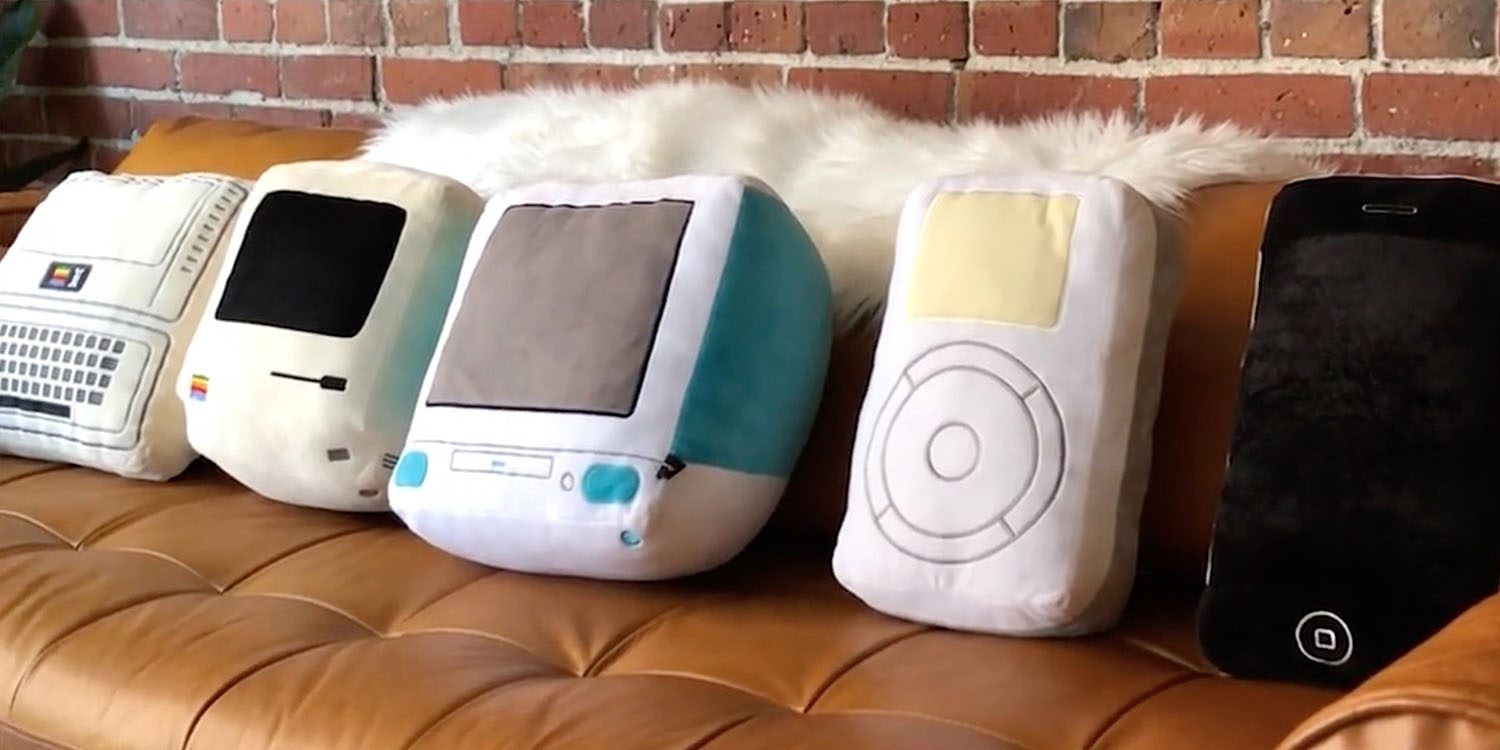
Creator Roberto Hoyos is clearly concerned about Apple’s lawyers had a thing or two to say about the project, as he manages to describe the pillows without once using either the brand name or the names of any of the products.
Remember your first computer? Your first time using a GUI? Your first glimpse of that candy-colored desktop? Your first MP3 player? Your first smartphone? No matter what age you are, one of these things has impacted your life in some way. And to think, they all came from the same beloved company! These devices let us realize our creative potential, connected us to each other to form meaningful relationships and of course… Changed. Our. World. At Throwboy we chose to pay tribute to these 5 iconic and important products that shaped our favorite technology company.
As MacWorld notes, even the Apple logo is missing, replaced with a rainbow-colored outline of a pillow. All the same, all five products are instantly recognizable.
Hoyos told MacWorld that his company works officially with Twitter, Microsoft, Patreon, Netflix and Google – but that Apple wasn’t interested.
You may want to consider the risk of Hoyos receiving a cease-and-desist letter from Apple prior to production, but if you want to give it a go, individual pillows cost $39 while the complete set runs to $165, with shipping expected in January.
Source: 9to5mac










