
NEWS

Apple Now Offers 30-minute Sessions to Teach Photos Editing Apps

08/30/2018

2342

Apple has silently started offering U.S. customers a chance to talk to a "Photos expert" for 30 minutes as a way of getting familiar with the app's editing tools, whether on a Mac, iPhone, or iPad.
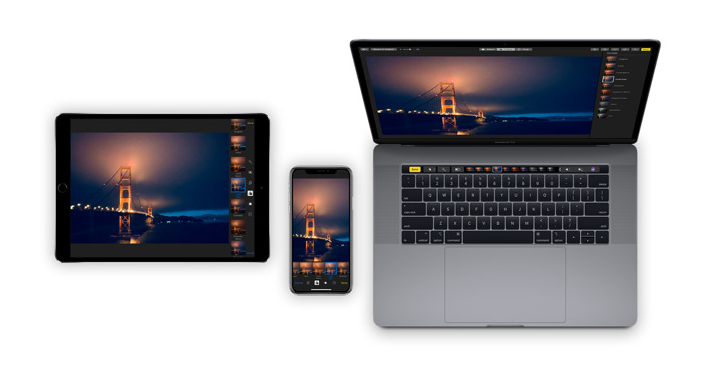

Apple Now Offers 30-minute Sessions to Teach Photos Editing Apps


The program is mentioned in a newly-added support document and promises that the expert will "tailor the session to your skill level and show you how to get the results you want," covering functions like cropping, filters, and Auto Enhance. Customers are expected to bring their own photos, update to the latest software, and make sure their hands are free by using either headphones or their phone's speaker mode.


Calls must also be scheduled in advance through a link provided in the support document, which was spotted by MacRumors earlier today.


Apple makes no reference to any screen sharing, despite the obvious help that would offer in teaching editing.


The raison d'etre for the program is unknown, since Apple already offers similar training in group sessions at its retail stores, and there are plenty of Web resources available — including how-tos on the company's own website.


Source: appleinsider

Windows
Mac OS
iOS
Linux
3uTools
Win 64-bit For this device
V9.01 2025-12-27
Download
Win 32-bit For this device
V9.01 2025-12-27
Download
3uTools
Intel Chip How to Identify Chip Type
V9.01 2025-12-31
Download
Apple Silicon
V9.01 2025-12-31
Download
How to Identify Chip Type
1.  Click the Apple icon in the top-left corner of the screen and select About This Mac.
2.  Check the Processor or Chip field to determine if it is "Intel" or "Apple".
Please use the 3uTools PC client to install the iOS client:
1、 Install either the Windows or Mac version of 3uTools on your computer
2、 Open the PC client and connect your device to the computer via USB cable
3、 After the connection is successful, wait for the computer to automatically install the mobile app for the device, or locate “Install Mobile App” on the computer and manually click to install.
3uTools
deb file
V3.01 2025-11-20
Download
rpm file
V3.01 2025-11-20
Download
Windows
Windows
iOS
iOS
Android
Android
TV
TV
3uAirPlayer
Win 64-bit For this device
V6.0.2 2025-11-19
Download
Win 32-bit For this device
V6.0.2 2025-11-19
Download
iOS Device Mirroring (No App Required)
1、 Install 3uAirPlayer on the Windows PC
2、 Open Control Center and select Screen Mirroring
3、 From the list, choose your PC to start mirroring
4、 Or connect your iOS device to the PC via USB to begin mirroring
Scan to get "3uAirPlayer" App
3uAirPlayer TV V1.0.18
2025-11-28
TV System Requirements: Android 7.0 or later
Download the TV installation package, copy it to a USB drive, insert it into your TV or set-top box, then select the file from the home screen to install.




