
NEWS

iOS 12.1 Final Download Could be Available Next Week with iPhone XR Release

10/18/2018

2284

Apple seeded the fourth public beta of iOS 12.1 to those brave enough to test it out, and with developers also working on the current build to ensure that their apps are ready to go, it’s likely that we will see the release make its way into the hands of the general public in the coming week.


October is already promising to be a big month for Apple, with the iPhone XR set to go on sale on October 26th and ongoing rumors of new iPad Pro announcements coming before the end of the month, too.

iOS 12.1 Final Download Could be Available Next Week with iPhone XR Release


All of this looks set to also make iOS 12.1 a big release for the company, with the suspicion being that we will see the software launch on the new iPhone and iPad models. If that’s the case, we can certainly expect iOS 12.1 to be ready relatively soon, if it isn’t already. With iOS 12.1 beta 4 now in the wild, it’s possible this is the version that will be made available to one and all.


While iOS 12 was the year’s big release, iOS 12.1 does have its own interesting features to shout about. The return of Group FaceTime after it was pulled from the iOS 12 betas is perhaps the biggest and most notable addition, although users can also look forward to over 70 new emojiwhen they update their devices as well.

Of course, if you don’t want to have to wait for Apple to release iOS 12.1 to everyone, you can sign up for the public beta program and get ahead of the curve.
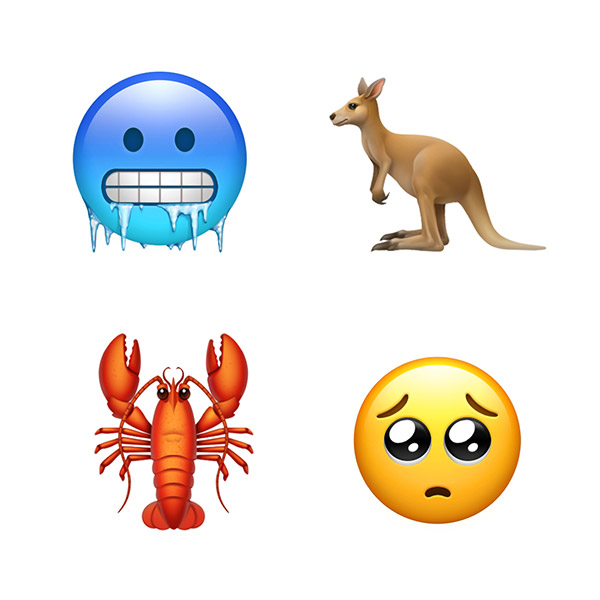

iOS 12.1 Final Download Could be Available Next Week with iPhone XR Release


Just remember that this is a beta and for that reason, all bets are off as far as compatibility and the potential for bugs is concerned.


Source: redmond pie


Windows
Mac OS
iOS
Linux
3uTools
Win 64-bit For this device
V9.01 2025-12-27
Download
Win 32-bit For this device
V9.01 2025-12-27
Download
3uTools
Intel Chip How to Identify Chip Type
V9.01 2025-12-31
Download
Apple Silicon
V9.01 2025-12-31
Download
How to Identify Chip Type
1.  Click the Apple icon in the top-left corner of the screen and select About This Mac.
2.  Check the Processor or Chip field to determine if it is "Intel" or "Apple".
Please use the 3uTools PC client to install the iOS client:
1、 Install either the Windows or Mac version of 3uTools on your computer
2、 Open the PC client and connect your device to the computer via USB cable
3、 After the connection is successful, wait for the computer to automatically install the mobile app for the device, or locate “Install Mobile App” on the computer and manually click to install.
3uTools
deb file
V3.01 2025-11-20
Download
rpm file
V3.01 2025-11-20
Download
Windows
Windows
iOS
iOS
Android
Android
TV
TV
3uAirPlayer
Win 64-bit For this device
V6.0.2 2025-11-19
Download
Win 32-bit For this device
V6.0.2 2025-11-19
Download
iOS Device Mirroring (No App Required)
1、 Install 3uAirPlayer on the Windows PC
2、 Open Control Center and select Screen Mirroring
3、 From the list, choose your PC to start mirroring
4、 Or connect your iOS device to the PC via USB to begin mirroring
Scan to get "3uAirPlayer" App
3uAirPlayer TV V1.0.18
2025-11-28
TV System Requirements: Android 7.0 or later
Download the TV installation package, copy it to a USB drive, insert it into your TV or set-top box, then select the file from the home screen to install.




