NEWS

Apple Unveils Repair Pricing for iPhone XR, Screen Fix Costs $199

10/23/2018

2759

Apple Unveils Repair Pricing for iPhone XR, Screen Fix Costs $199


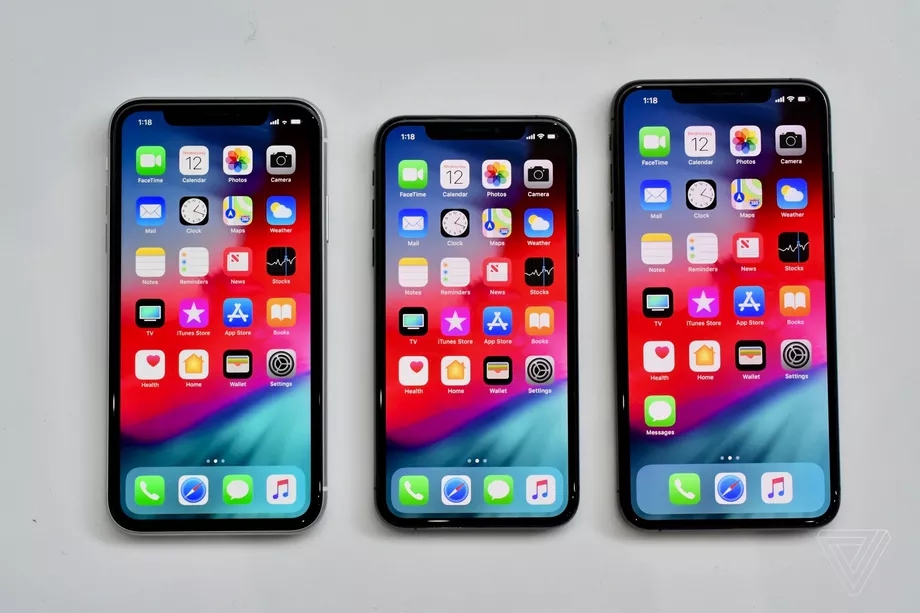
Apple will start shipping the iPhone XR this week, and ahead of its launch, the company has unveiled repair pricing. If you crack that notched LCD display, it’ll cost you $199 to fix (if you don’t have AppleCare+). That’s significantly cheaper than the OLEDs on the iPhone XS and XS Max: the XS costs $279, and the XS Max costs $329. Meanwhile, a battery replacement will cost $69 across the three new devices.


Repairs related to “other damage,” like a shattered glass back, cost $399 on the iPhone XR versus $549 on the XS and $599 on the XS Max. The iPhone XS and X from last year have the same repair costs overall. AppleCare+ covers two accidental damage incidents at $99, regardless of your iPhone model, while a screen repair through the program costs $29. AppleCare+ costs $149 for the iPhone XR, 8 Plus, and 7 Plus and $199 for the XS or XS Max. That covers users for two years, so basically one repair a year. It’s worth the price if you actually take advantage of the repairs.


This is also a good time to remind you that Apple’s discounted battery repairs for the iPhone 6 and later expire on December 31st. It currently costs $29, but will jump to $49 in the new year. The iPhone X’s battery repair cost will rise to $69. Also, if you repair your phone with “unauthorized modifications” you likely won’t be serviced by Apple and might have to buy a new device.


Source: the verge

Windows
Mac OS
iOS
Linux
3uTools
Win 64-bit For this device
V9.01 2025-12-27
Download
Win 32-bit For this device
V9.01 2025-12-27
Download
3uTools
Intel Chip How to Identify Chip Type
V9.01 2025-12-31
Download
Apple Silicon
V9.01 2025-12-31
Download
How to Identify Chip Type
1.  Click the Apple icon in the top-left corner of the screen and select About This Mac.
2.  Check the Processor or Chip field to determine if it is "Intel" or "Apple".
Please use the 3uTools PC client to install the iOS client:
1、 Install either the Windows or Mac version of 3uTools on your computer
2、 Open the PC client and connect your device to the computer via USB cable
3、 After the connection is successful, wait for the computer to automatically install the mobile app for the device, or locate “Install Mobile App” on the computer and manually click to install.
3uTools
deb file
V3.01 2025-11-20
Download
rpm file
V3.01 2025-11-20
Download
Windows
Windows
iOS
iOS
Android
Android
TV
TV
3uAirPlayer
Win 64-bit For this device
V6.0.2 2025-11-19
Download
Win 32-bit For this device
V6.0.2 2025-11-19
Download
iOS Device Mirroring (No App Required)
1、 Install 3uAirPlayer on the Windows PC
2、 Open Control Center and select Screen Mirroring
3、 From the list, choose your PC to start mirroring
4、 Or connect your iOS device to the PC via USB to begin mirroring
Scan to get "3uAirPlayer" App
3uAirPlayer TV V1.0.18
2025-11-28
TV System Requirements: Android 7.0 or later
Download the TV installation package, copy it to a USB drive, insert it into your TV or set-top box, then select the file from the home screen to install.