 NEWS
NEWS
Apple and Samsung Fined for Deliberately Slowing Down Phones
 10/25/2018
 3210
3210
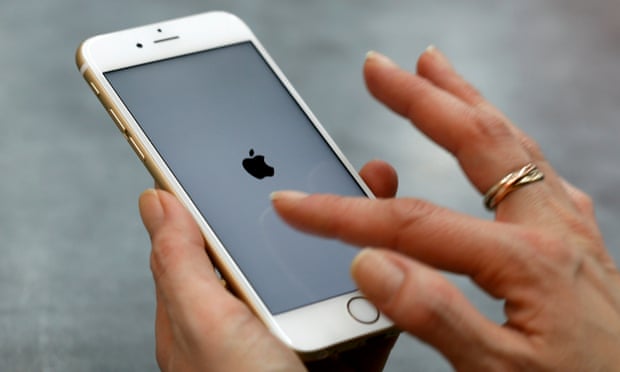
Apple and Samsung are being fined €10m and €5m respectively in Italy for the “planned obsolescence” of their smartphones.
An investigation launched in January by the nation’s competition authority found that certain smartphone software updates had a negative effect on the performance of the devices.
Believed to be the first ruling of its kind against smartphone manufacturers, the investigation followed accusations operating system updates for older phones slowed them down, thereby encouraging the purchase of new phones.
In a statement the antitrust watchdog said “Apple and Samsung implemented dishonest commercial practices” and that operating system updates “caused serious malfunctions and significantly reduced performance, thus accelerating phones’ substitution”.
It added the two firms had not provided clients adequate information about the impact of the new software “or any means of restoring the original functionality of the products”.
Samsung told owners of its Galaxy Note 4 phone to install a new version of Google’s Android operating system intended for the more recent Galaxy Note 7, but which users claimed rendered the old model sluggish.
Likewise, Apple told iPhone 6 owners to install an operating system designed for the iPhone 7, leading to problems for owners of the older model.
Both firms were issued the maximum fine of €5m each and ordered to display a notice on their Italian websites informing customers of the watchdog’s decision.
Apple was fined an additional €5m for failing to give customers clear information about “essential” characteristics of lithium batteries, including their average life expectancy, how to maintain them or eventually replace them in the firm’s iPhones.
Apple acknowledged in December that it had intentionally slowed iPhones with degraded batteries through software updates to avoid sudden shutdown problems, but denied it had ever done anything to intentionally shorten the life of a product.
The company later apologised for its actions and reduced the cost of battery replacements. It also added battery health information to iOS and allowed users to turn off the slowing down of the iPhone’s processor.
The Italian antitrust authority opened its investigation following customer complaints around the same time as a similar probe in France, which has yet to conclude.
It is a crime under French law to intentionally shorten the life of any product in order to promote sales. The French consumer protection agency has the power to fine up to 5% of annual turnover or impose a jail term.
Apple also faced questions from the US senate in January over the slowing of iPhones, and a barrage of class-action lawsuits from around the country. More than 60 separate US lawsuits were ordered to be consolidated into a single suit in the Northern District of California, which is still ongoing.
Samsung’s software updates for its phones have not previously been questioned.
A Samsung spokesperson said the company was disappointed by the decision and intends to appeal the fine: “Samsung did not issue any software update that reduced the Galaxy Note 4’s performance. In contrast, Samsung has always released software updates enabling our customers to have the best experience possible.”
Apple did not immediately respond to a request for comment.
Source: theguardian










