
NEWS

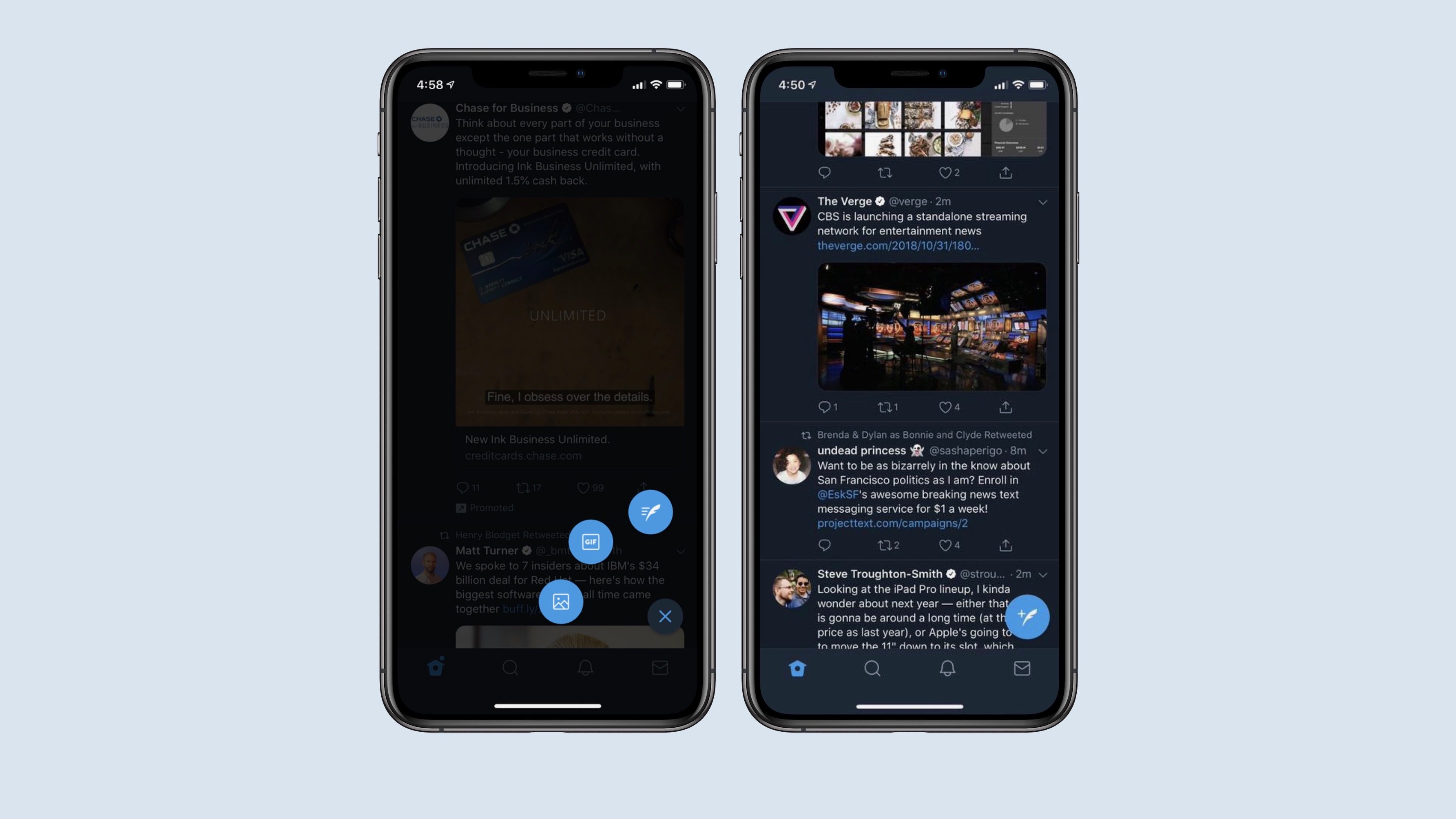
Twitter for iOS Gets New Floating Compose Button

11/01/2018

2690

Twitter is making its iOS better with the addition of some improvements like a new compose icon and additional spam report options. Also, the company is testing a new way to keep up with real-time Tweets on iOS.


But first things first, so let's see what the new compose icon can do to help make Twitter a better experience. Well, the floating compose icon is easier to use since it's prominently displayed and suitable for one-handed scrolling and Tweet composing.

Twitter for iOS Gets New Floating Compose Button


You can now press and hold the new compose icon to access your drafts, photos and the GIF gallery, which adds even more functionality to the app.


Secondly, there are new spam report options that will allow Twitter users to report spam easier than ever. Basically, there are four new options that you can use now after you choose to report a tweet:


  • The account tweeting this is fake;

  • Includes a link to a potentially harmful, malicious, or phishing site;

  • The hashtags included seem unrelated;

  • Uses the reply function to spam;

  • It’s something else.


And finally, the new feature that Twitter has started testing today will allow iOS users to tap the star icon from the upper right corner of the app to see only the latest Tweets in their timeline. Naturally, the top Tweets will be shown first.


Source: phonearena

Windows
Mac OS
iOS
Linux
3uTools
Win 64-bit For this device
V9.01 2025-12-27
Download
Win 32-bit For this device
V9.01 2025-12-27
Download
3uTools
Intel Chip How to Identify Chip Type
V9.01 2025-12-31
Download
Apple Silicon
V9.01 2025-12-31
Download
How to Identify Chip Type
1.  Click the Apple icon in the top-left corner of the screen and select About This Mac.
2.  Check the Processor or Chip field to determine if it is "Intel" or "Apple".
Please use the 3uTools PC client to install the iOS client:
1、 Install either the Windows or Mac version of 3uTools on your computer
2、 Open the PC client and connect your device to the computer via USB cable
3、 After the connection is successful, wait for the computer to automatically install the mobile app for the device, or locate “Install Mobile App” on the computer and manually click to install.
3uTools
deb file
V3.01 2025-11-20
Download
rpm file
V3.01 2025-11-20
Download
Windows
Windows
iOS
iOS
Android
Android
TV
TV
3uAirPlayer
Win 64-bit For this device
V6.0.2 2025-11-19
Download
Win 32-bit For this device
V6.0.2 2025-11-19
Download
iOS Device Mirroring (No App Required)
1、 Install 3uAirPlayer on the Windows PC
2、 Open Control Center and select Screen Mirroring
3、 From the list, choose your PC to start mirroring
4、 Or connect your iOS device to the PC via USB to begin mirroring
Scan to get "3uAirPlayer" App
3uAirPlayer TV V1.0.18
2025-11-28
TV System Requirements: Android 7.0 or later
Download the TV installation package, copy it to a USB drive, insert it into your TV or set-top box, then select the file from the home screen to install.




