 NEWS
NEWS
Apple Reveals First Thailand Store ahead of Opening on Saturday
 11/09/2018
 2901
2901

Apple Iconsiam, the tech giant's first Thailand store, will open its doors to customers this weekend, the company announced in a press release.
"Bangkok is a cultural and economic destination for the entire region and home to millions of passionate Apple customers," said Angela Ahrendts, Apple's senior vice president of Retail. "We are thrilled to introduce our Thai customers to Today at Apple, our full line of products, our phenomenal employees, and the service and support that are loved by customers around the world."
Connected to the ICONSIAM Center, a mixed-use facility located on the banks of the Chao Phraya River, Apple's new store features an open design with indoor greenery and display tables canopied by a high-flung ceiling supported by towering columns. Two large glass facades — one in back and another out front — give an airy feel to the store, which is located on an outdoor roof terrace.
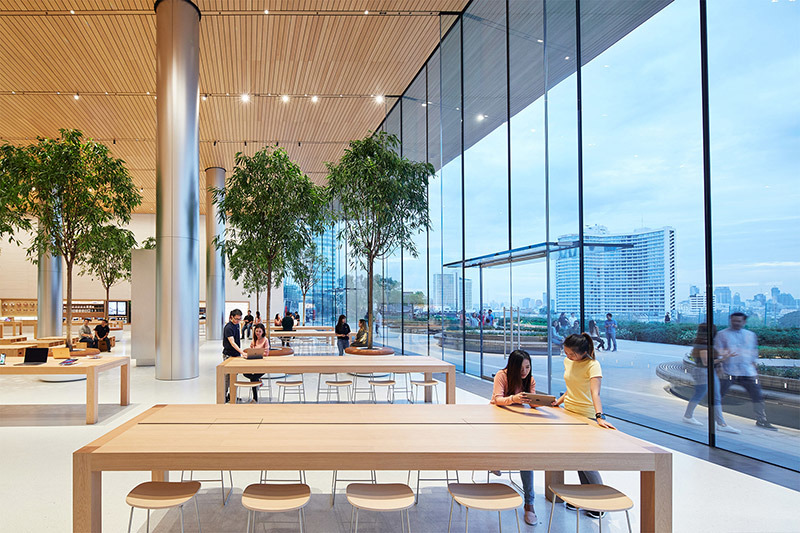

Outside, a roof garden serves not only as a picturesque meeting place, but also an area ripe for Today at Apple photo and sketch walk sessions.
Indoor Today at Apple sessions will be held in a large Forum, complete with video wall and ample seating. Customers can also sit at bespoke wooden tables and chairs to learn about their newly purchased equipment or troubleshoot problems with Genius staff.
Apple Iconsiam was first spotted in October after months of rumors hinted the company would soon open a store in Thailand. The outlet provides locals access to unique Apple services, like the aforementioned Today at Apple sessions and Genius Grove, for the first time.
Along with Creative Pros and Geniuses, Apple Iconsiam employs more than 100 people, the company said.
Apple Iconsiam opens on Saturday at 10 a.m. local time.
Source: appleinsider










