 NEWS
NEWS
Apple CEO Tim Cook on Hate Speech: 'You Have No Place on Our Platform'
 12/04/2018
 2842
2842
Apple CEO Tim Cook accepted the Anti-Defamation League's inaugural Courage Against Hate Award at the Never is Now Summit on Anti-Semitism and Hate, where he gave a keynote speech that had a strong message for those seeking to spread hate on Apple's platform.
"We only have one message for those who seek to push hate, division, and violence, Cook said. "You have no place on our platform. You have no home here."
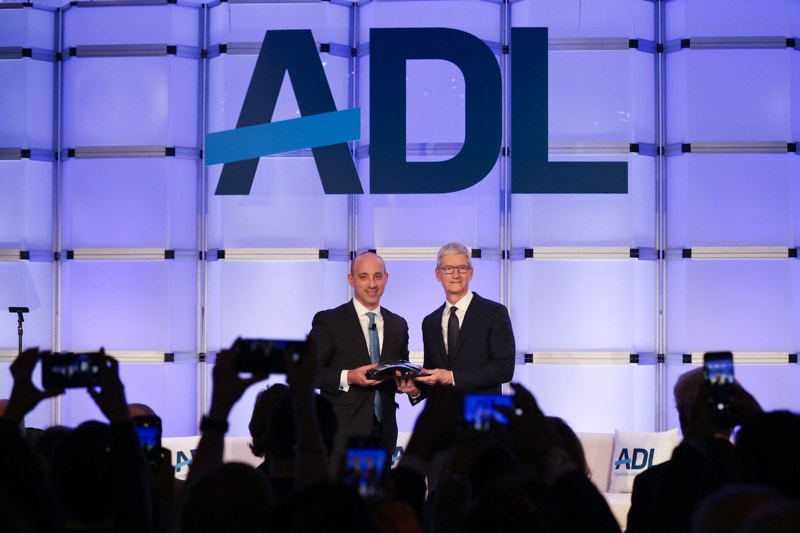
Cook went on to say that this is a longtime view of Apple's, and he pointed out the company's removal of Infowars content earlier this year. Apple, he said, is not afraid to say that its values drive its curation decisions.
"From the earliest days of iTunes to Apple Music today, we have always prohibited music with a message of white supremacy. Why? Because it's the right thing to do.
And as we showed this year, we won't give a platform to violent conspiracy theorists on the App Store. Why? Because it's the right thing to do.
My friends, if we can't be clear on moral questions like these, then we've got big problems. At Apple, we are not afraid to say that our values drive our curation decisions. And why should we be? Doing what's right, creating experiences from violence and hate, experiences that empower creativity and new ideas is what our customers want us to do.
Technology should be about human attention. It should be about optimism. And we believe the future should belong to those who use technology to build a better, more inclusive, and more hopeful world.
After all, history is full of examples of what can happen when those with power, and those who ought to have good judgement, instead look the other way. I believe the most sacred thing that each of us is given is our judgement. Our morality. Our own innate desire to separate right from wrong. Choosing to set that responsibility aside at a moment of trial is a sin. We as individuals have the power to know and feel and act and we ought to use it."
According to Cook, while Apple is a technology company, its employees "never forget" that the devices they design are imagined by human minds, built by human hands, and are meant to improve human lives.
"I sometimes say that I worry less about computers that think like people and more about people that think like computers. Without values or compassion, without concern for consequences. And so we try to stay rooted and to keep our devices connected to the humanity that makes us us."
Cook's full speech at the Never is Now Summit was made available via the ADL's livestream of the event. The livestream is now offline, but we'll update should the video be uploaded to the ADL's website at a later time.
Note: Due to the political nature of the discussion regarding this topic, the discussion thread is located in our Politics, Religion, Social Issues forum. All forum members and site visitors are welcome to read and follow the thread, but posting is limited to forum members with at least 100 posts.
Source: macrumors










