 NEWS
NEWS
Apple Reportedly Planning Three iPhones for 2019, one with New Triple-camera System
 01/14/2019
 3203
3203
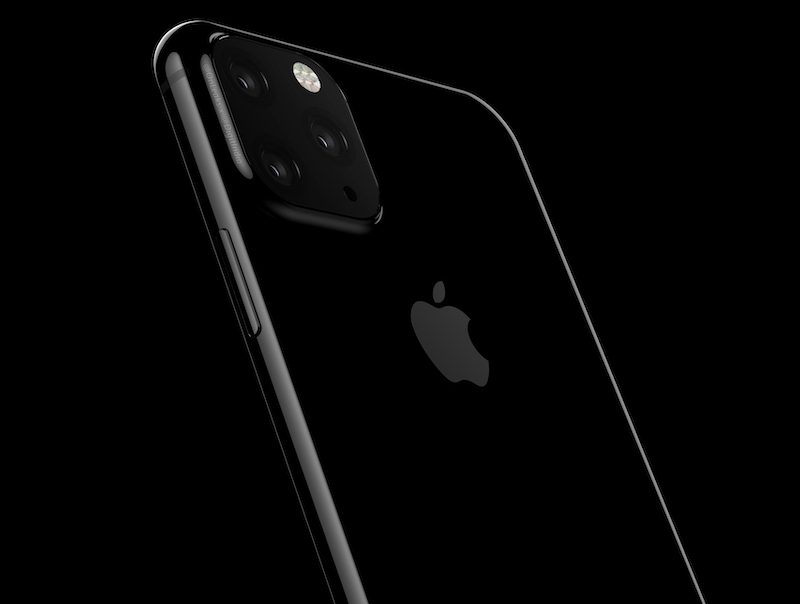
Apple is reportedly planning to release three new iPhones later this year. The Wall Street Journal reports that Apple will introduce a successor to the iPhone XR with an LCD display, alongside two other handsets. The high-end 2019 iPhone, presumably the largest of the three, is also rumored to include a triple-camera system at the rear, in an effort that’s clearly designed to compete with the latest crop of Android handsets that include multiple cameras.
Renders of a triple-camera iPhone leaked last week, with OnLeaks claiming Apple will introduce such a system later this year. It’s not clear what an additional camera at the rear of an iPhone will enable, but the rumors have emerged after reports that Sony is boosting its 3D camera output for chips that will power rear-facing 3D cameras on smartphones in 2019.
Back from September 2019, I bring you the very 1st and very early glimpse at which I guess #Apple will unveil as #iPhoneXI!!! Yes, time has already come to meet the new #iPhone through gorgeous 5K renders made on behalf of new coming Partner @digitindia -> https://t.co/b6SxFUS2tx pic.twitter.com/97jrlTHQ5G
— Steve H.McFly (@OnLeaks) January 6, 2019
Apple is also reportedly considering going OLED-only for its 2020 iPhone models, according to the WSJ. Such a move would likely raise the overall selling price of Apple’s iPhones next year, amid concerns over iPhone sales in China and other developing markets. Apple recently warned it could miss $9 billion in iPhone sales in the recent quarter due to weaker demand.
Source: the verge










