
NEWS

Apple Targeting Users of Older iPhones With iPhone XR Email Campaign

01/15/2019

2720

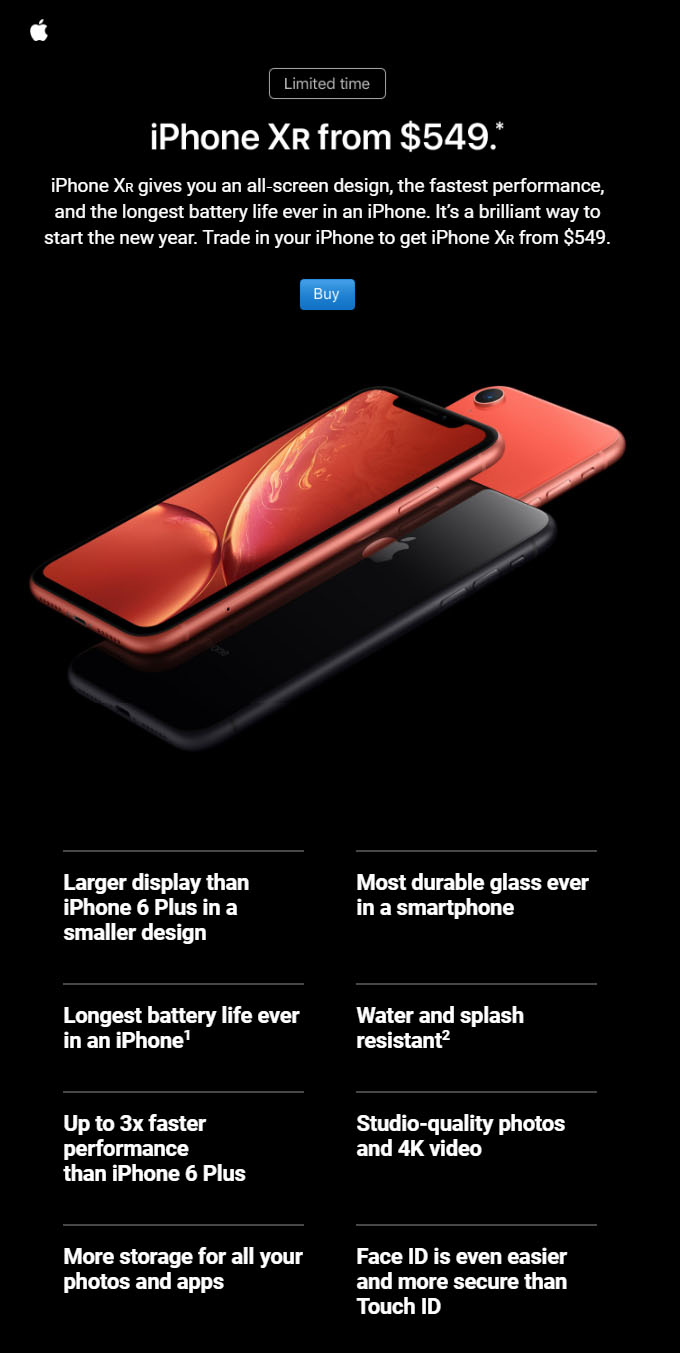
Apple continues to aggressively market the iPhone XR, with one of its latest tactics being customized emails to owners of older iPhone models with a trade-in value of the older device and a tech specs comparison with the iPhone XR. 
Apple Targeting Users of Older iPhones With iPhone XR Email Campaign


An email sent to an iPhone 6 Plus user, for example, advertises Apple's limited-time $200 trade-in offer for that device towards the purchase of an iPhone XR in the United States. The email also states that the iPhone XR is up to three times faster than the iPhone 6 Plus and compares other features. 

Apple appears to have started sending out these emails late last year, but we saw several mentions of the campaign on Reddit and Twitter today, suggesting that Apple may have sent out a second wave of emails to additional customers. 
Apple Targeting Users of Older iPhones With iPhone XR Email Campaign


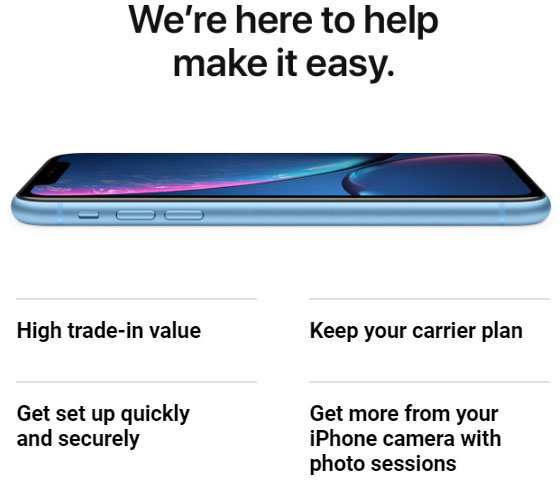
Apple issued a rare revenue downgrade of up to $9 billion for the first quarter of its 2019 fiscal year, a move that it attributed entirely to fewer iPhone upgrades than it anticipated, primarily in the Greater China region. Apple believes simplifying its process of trading in a phone is one way it can improve its results.


Source: macrumors

Windows
Mac OS
iOS
Linux
3uTools
Win 64-bit For this device
V9.01 2025-12-27
Download
Win 32-bit For this device
V9.01 2025-12-27
Download
3uTools
Intel Chip How to Identify Chip Type
V9.01 2025-12-31
Download
Apple Silicon
V9.01 2025-12-31
Download
How to Identify Chip Type
1.  Click the Apple icon in the top-left corner of the screen and select About This Mac.
2.  Check the Processor or Chip field to determine if it is "Intel" or "Apple".
Please use the 3uTools PC client to install the iOS client:
1、 Install either the Windows or Mac version of 3uTools on your computer
2、 Open the PC client and connect your device to the computer via USB cable
3、 After the connection is successful, wait for the computer to automatically install the mobile app for the device, or locate “Install Mobile App” on the computer and manually click to install.
3uTools
deb file
V3.01 2025-11-20
Download
rpm file
V3.01 2025-11-20
Download
Windows
Windows
iOS
iOS
Android
Android
TV
TV
3uAirPlayer
Win 64-bit For this device
V6.0.2 2025-11-19
Download
Win 32-bit For this device
V6.0.2 2025-11-19
Download
iOS Device Mirroring (No App Required)
1、 Install 3uAirPlayer on the Windows PC
2、 Open Control Center and select Screen Mirroring
3、 From the list, choose your PC to start mirroring
4、 Or connect your iOS device to the PC via USB to begin mirroring
Scan to get "3uAirPlayer" App
3uAirPlayer TV V1.0.18
2025-11-28
TV System Requirements: Android 7.0 or later
Download the TV installation package, copy it to a USB drive, insert it into your TV or set-top box, then select the file from the home screen to install.




