 NEWS
NEWS
AirPower Launching This Spring at $150 With “Exclusive” Features With iOS 13
 02/12/2019
 2855
2855
A source claiming knowledge of AirPower development says Apple’s elusive multi-device charging accessory is at long last ready for an official release sometime in the spring.
Citing a source, MySmartPrice reported Monday that AirPower is definitely coming in the spring with some unspecified new capabilities that Apple apparently hasn’t mentioned yet.
The mysterious “exclusive” new features may require iOS 13. As for pricing, the wireless charging pad is likely to retail for around $150 at launch, the report alleged.
It’ll be slightly thicker than originally expected because of the 8-7-7 coil configuration. “Since AirPower is set to go on sale soon, TV commercials for the wireless charging pad are reportedly being filmed currently,” reads the story.
Apple AirPower: Another source claims Pegatron is set to start mass produce AirPower at Jan 21. Pegatron is also an Apple OEM in Asia. The company employee says AirPower has a total of three layers of coils in 8-7-7 configuration from bottom to top.
The Apple-designed charging accessory will work with Qi-enabled phones like the iPhone 8, iPhone 8 Plus, iPhone X, iPhone XS, iPhone XS Max and iPhone XR models. It can juice up three devices simultaneously, like an iPhone, your Apple Watch and AirPods.
AirPower itself is based on the ubiquitous Qi wireless charging standard.
Apple AirPower: Another source claims Pegatron is set to start mass produce AirPower at Jan 21. Pegatron is also an Apple OEM in Asia. The company employee says AirPower has total three layers of coils in 8-7-7 configuration from bottom to top. pic.twitter.com/xsboO47PGR
— ChargerLAB (@chargerlab) January 12, 2019
Although multi-device charging is officially unsupported by the Qi standard, Apple said it’d be working towards incorporating this ability into a future revision of the Qi specification.
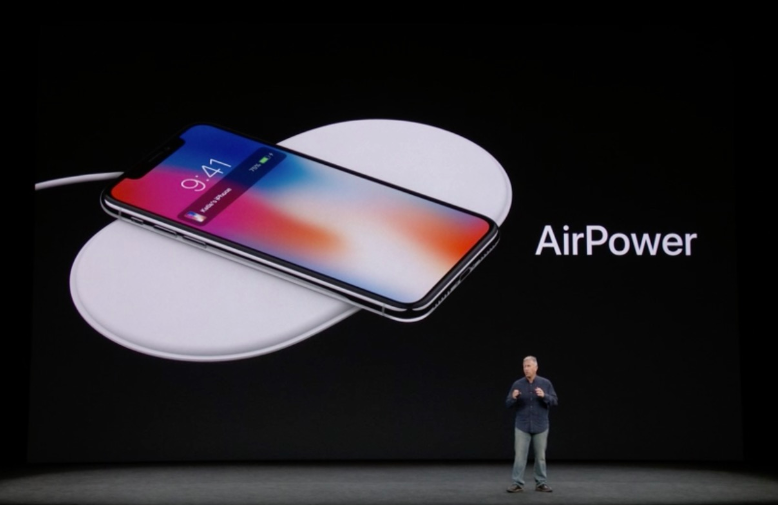
Initially previewed at the September 2017 Apple media event at the Steve Jobs Theater and intended to be released in 2018, the ill-fated accessory saw multiple delays as engineers had apparently struggled to contain interference from multiple charging coils.
As a result, AirPower no longer has an announced release date and all mentions of it have been removed from Apple’s website, save for the iPhone X press release.
Source: idb










