 NEWS
NEWS
Apple Sued Over Swollen Batteries in Apple Watches
 04/03/2019
 3852
3852
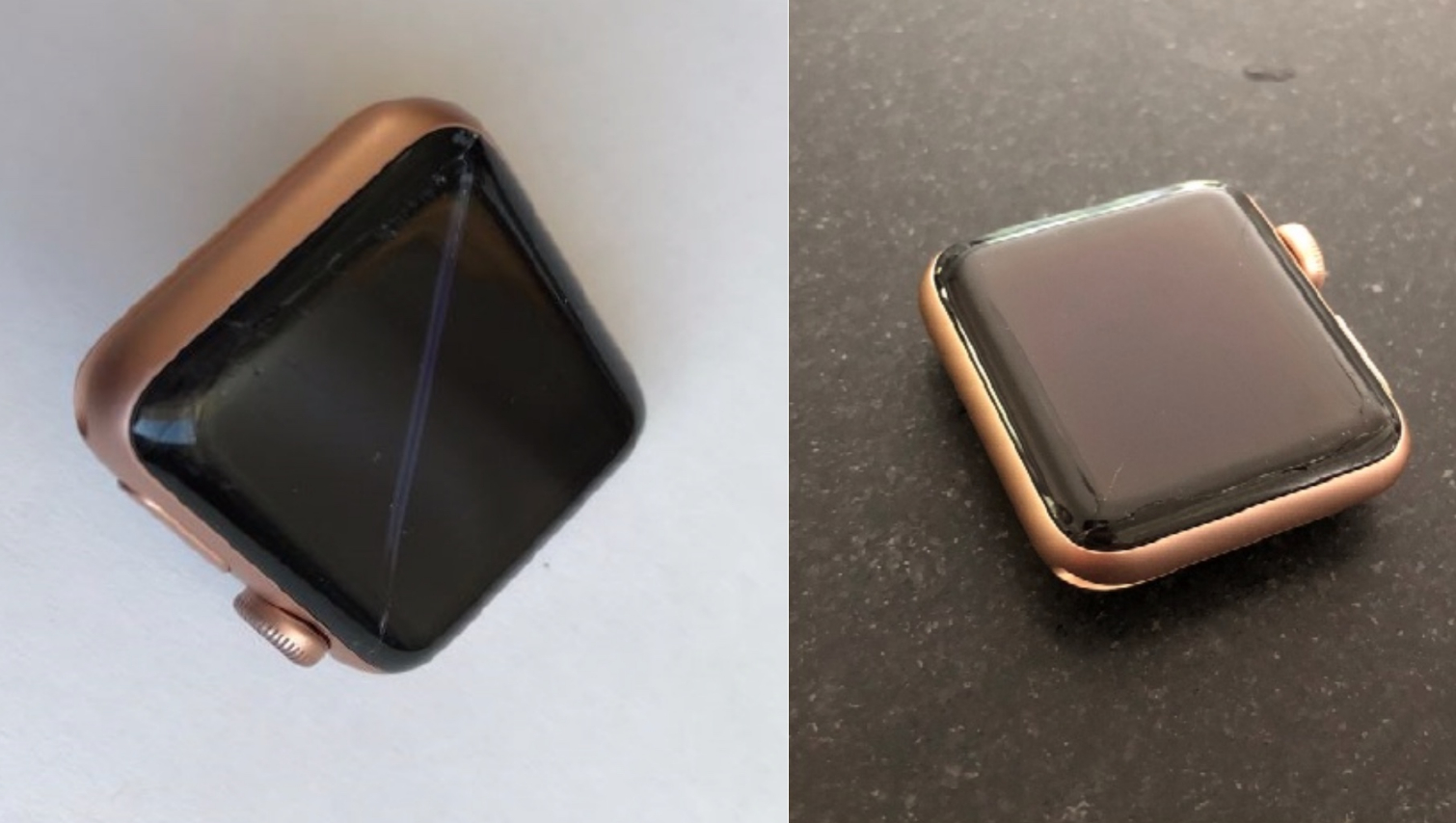
A New Jersey woman is suing Apple over the Apple Watch, claiming that smartwatches made by the company are prone to swelling batteries that cause the display to crack or detach.
In her lawsuit, filed this week in the U.S. District Court for New Jersey, Gina Priano-Keyser says she bought an Apple Watch Series 3 in October 2017. Roughly nine months later in July 2018, the lawsuit alleges that the screen detached from the watch's body while it was being charged, with a "long deep, jagged crack" spanning the length of the bottom of the screen.
After a visit to one of Apple's Genius Bars, Priano-Keyser says Apple declined to repair the watch under its limited warranty, instead quoting a price of $229 to fix the display.
Priano-Keyser's lawsuit, posted by Mac Rumors which reported on the case, claims that the problem affects all Apple Watches, including the Series 4 models released last fall. The lawsuit seeks class action status, and sites multiple Apple discussion threads where other users detail similar problems with detached screens.
In the past, Apple has acknowledge that some earlier version of its smartwatch "may experience an expanded battery." Last year, the company offered a free fix to Apple Watch owners affected by the issue, though that only applied to Series 2 models. This new lawsuit from Priano-Keyser claims that Apple hasn't acknowledged that subsequent Apple Watches are exhibiting the same behavior.
"Owners of defective Apple Watches are faced with unenviable and expensive options," the lawsuit alleges. "They can pay over $200 to repair an already expensive Watch; they can purchase AppleCare+ for at least $49 (and then pay an additional $69 service fee for each incident); they can purchase a new Apple Watch; or, like Plaintiff here, they can simply not use their Watch. Under any option, consumers must either pay more for the continued use of an already expensive Watch or be deprived of its use entirely."
We've reached out to Apple to see if it has any comment on this new lawsuit.
If this case sounds familiar, it's because a similar suit was filed last year by Shepherd, Finkleman, Miller & Shah, the same law firm now representing Priano-Keyser. That case, filed in California, was dismissed earlier this year by a U.S. district judge who ruled that the plaintiffs had failed to identify the defect causing screens to crack.
Source: tom's guide










