NEWS

iPhone XR Continues to Dominate Us Smartphone Sales

04/26/2019

2669

iPhone XR Continues to Dominate Us Smartphone Sales


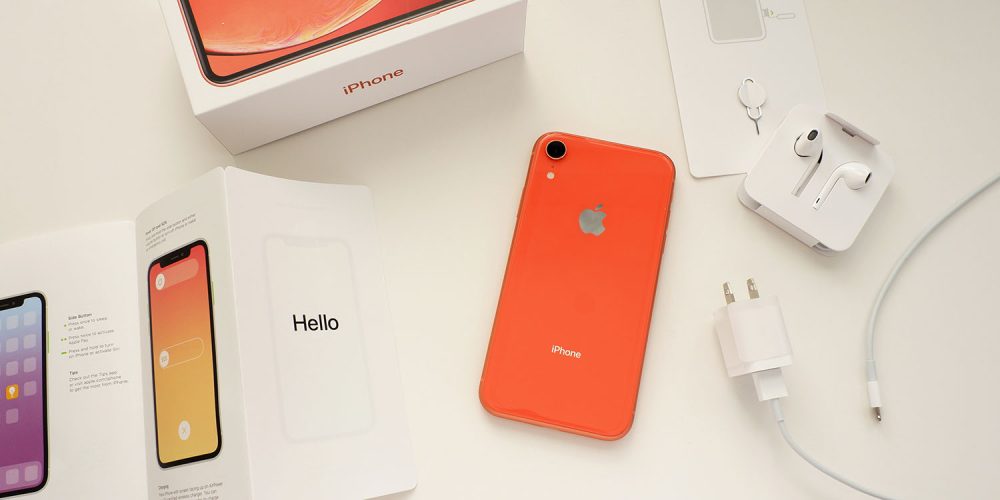
The latest data from Consumer Intelligence Research Partners (CIRP) suggests that the iPhone XR continues to dominate US smartphone sales. The XR is the best-selling model for the second quarter running.


The news follows Kantar data showing that the iPhone XR was also the best-selling smartphone in the UK.


So far as the breakdown across iPhone models is concerned, the iPhone XS Max continues to outsell the smaller model. It seems those who want the flagship iPhone have been drawn to the larger screen size, while those content with a smaller screen has been more likely to opt for the cheaper iPhone XR.


The success of the XR does represent bad news for Apple in one respect, however: the impact on average selling price (ASP).


CIRP's US smartphone sales report for the previous quarter found that higher storage tiers were helping boost ASP, but this effect is now being offset by the lower price of the XR.


However, Services revenue appears healthy. CIRP found that almost half of US iPhone buyers had paid iCloud storage tiers, with high levels of Apple Music subscriptions also. Though AppleCare isn't a popular choice.


As in the UK, the iPhone XR has proved an upgrade catalyst for owners of older phones who were unwilling to pay the price premium for the iPhone X/XS/Max.


Source: 9to5mac

Windows
Mac OS
iOS
Linux
3uTools
Win 64-bit For this device
V9.01 2025-12-27
Download
Win 32-bit For this device
V9.01 2025-12-27
Download
3uTools
Intel Chip How to Identify Chip Type
V9.01 2025-12-31
Download
Apple Silicon
V9.01 2025-12-31
Download
How to Identify Chip Type
1.  Click the Apple icon in the top-left corner of the screen and select About This Mac.
2.  Check the Processor or Chip field to determine if it is "Intel" or "Apple".
Please use the 3uTools PC client to install the iOS client:
1、 Install either the Windows or Mac version of 3uTools on your computer
2、 Open the PC client and connect your device to the computer via USB cable
3、 After the connection is successful, wait for the computer to automatically install the mobile app for the device, or locate “Install Mobile App” on the computer and manually click to install.
3uTools
deb file
V3.01 2025-11-20
Download
rpm file
V3.01 2025-11-20
Download
Windows
Windows
iOS
iOS
Android
Android
TV
TV
3uAirPlayer
Win 64-bit For this device
V6.0.2 2025-11-19
Download
Win 32-bit For this device
V6.0.2 2025-11-19
Download
iOS Device Mirroring (No App Required)
1、 Install 3uAirPlayer on the Windows PC
2、 Open Control Center and select Screen Mirroring
3、 From the list, choose your PC to start mirroring
4、 Or connect your iOS device to the PC via USB to begin mirroring
Scan to get "3uAirPlayer" App
3uAirPlayer TV V1.0.18
2025-11-28
TV System Requirements: Android 7.0 or later
Download the TV installation package, copy it to a USB drive, insert it into your TV or set-top box, then select the file from the home screen to install.