
NEWS

Leaked Images Show Apple Card's Design in the Wild

06/24/2019

6451

Apple's upcoming Apple Card credit card is now being tested by both its corporate and retail employees ahead of a planned summer launch, and unsurprisingly, some images of the card have leaked out. 

We already know what the Apple Card looks like thanks to Apple's promotional materials, but it's still interesting to see the design in person, with iMore sharing some photosprovided by an Apple employee. 
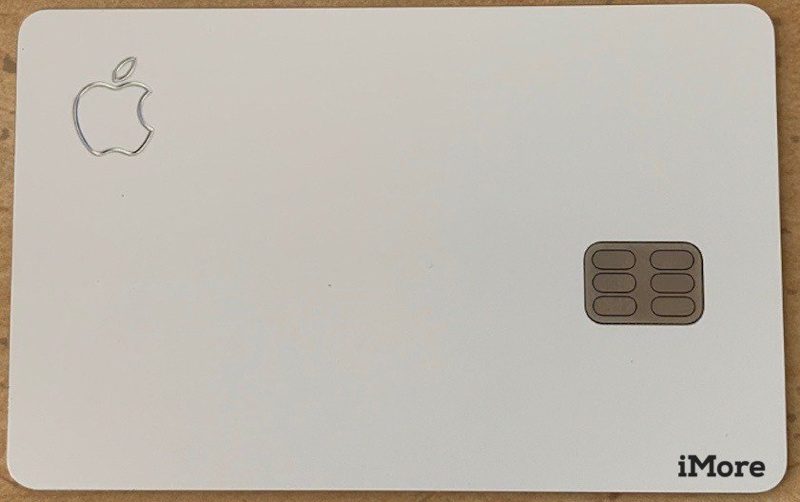
Leaked Images Show Apple Card's Design in the Wild
The Apple Card won't use a traditional card number, instead generating virtual card numbers and confirmation codes for purchases, which can be obtained from the Wallet app on the iPhone. 

The back of the Apple Card is just as barren as the front, featuring embossed Goldman Sachs and Mastercard logos, along with a magstripe at the back. Goldman Sachs and Mastercard are Apple's Apple Card partners. For those curious, the Apple Card appears to weigh in at 14.75 grams. 
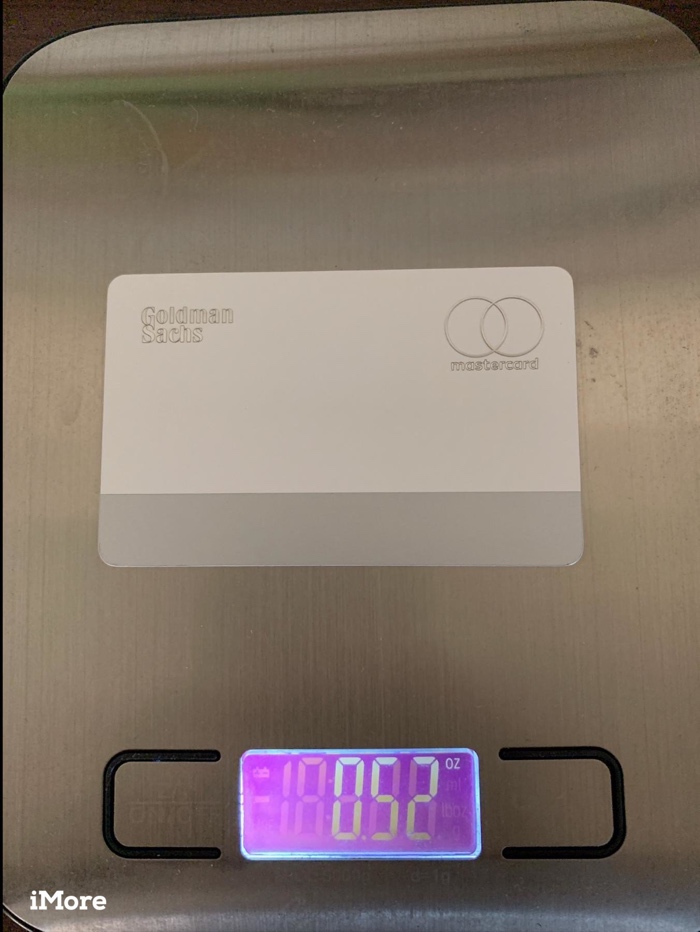
Leaked Images Show Apple Card's Design in the Wild
Apple delivers the Apple Card in a plain white sleeve with an Apple logo on the front. The inside is multicolored, representing the different purchase categories that will be listed and colorized inside the Apple Wallet app when you make an Apple Card purchase. 

According to iMore, Apple is approving people with a range of credit scores. A person with a credit rating between 600 and 700 was approved, though with a $1,000 credit limit. APRs range from 13.24 percent to 24.24 percent. 

It's not clear if the Apple Card release will be tied to the launch of iOS 12.4, but it's certainly a possibility, and suggests the Apple Card is coming in the near future. 


Source: Macrumors

Windows
Mac OS
iOS
Linux
3uTools
Win 64-bit For this device
V9.01 2025-12-27
Download
Win 32-bit For this device
V9.01 2025-12-27
Download
3uTools
Intel Chip How to Identify Chip Type
V9.01 2025-12-31
Download
Apple Silicon
V9.01 2025-12-31
Download
How to Identify Chip Type
1.  Click the Apple icon in the top-left corner of the screen and select About This Mac.
2.  Check the Processor or Chip field to determine if it is "Intel" or "Apple".
Please use the 3uTools PC client to install the iOS client:
1、 Install either the Windows or Mac version of 3uTools on your computer
2、 Open the PC client and connect your device to the computer via USB cable
3、 After the connection is successful, wait for the computer to automatically install the mobile app for the device, or locate “Install Mobile App” on the computer and manually click to install.
3uTools
deb file
V3.01 2025-11-20
Download
rpm file
V3.01 2025-11-20
Download
Windows
Windows
iOS
iOS
Android
Android
TV
TV
3uAirPlayer
Win 64-bit For this device
V6.0.2 2025-11-19
Download
Win 32-bit For this device
V6.0.2 2025-11-19
Download
iOS Device Mirroring (No App Required)
1、 Install 3uAirPlayer on the Windows PC
2、 Open Control Center and select Screen Mirroring
3、 From the list, choose your PC to start mirroring
4、 Or connect your iOS device to the PC via USB to begin mirroring
Scan to get "3uAirPlayer" App
3uAirPlayer TV V1.0.18
2025-11-28
TV System Requirements: Android 7.0 or later
Download the TV installation package, copy it to a USB drive, insert it into your TV or set-top box, then select the file from the home screen to install.




