NEWS

Apple Expected to Adopt Keyboard With Scissor Mechanism for Upcoming 16-inch MacBook Pro

07/26/2019

2478

Apple Expected to Adopt Keyboard With Scissor Mechanism for Upcoming 16-inch MacBook Pro


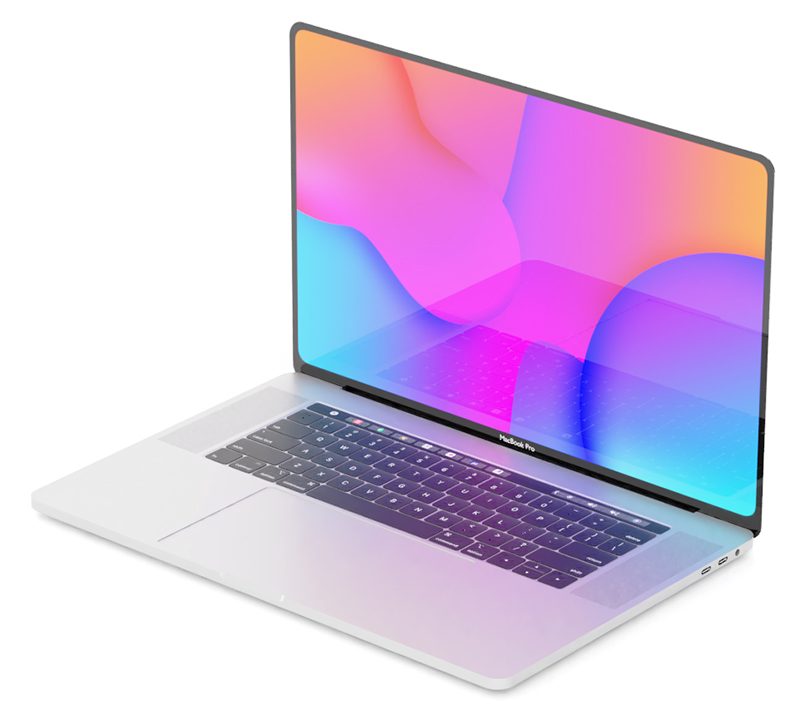
Apple is reportedly planning to launch a scissor keyboard on its rumored 16-inch MacBook Pro later this year. Apple analyst Ming-Chi Kuo said the tech giant would be replacing the unpopular butterfly keyboard in 2019 rather than 2020, according to MacRumors Thursday.


Apple had rolled out its butterfly switch design starting with its computer revamp in 2015 in an effort to make the laptops lighter and thinner. But users complained about sticky keys, as well as letters typing in duplicate or not at all.Kuo had earlier this month said Apple wouldn't be switching to the scissor mechanism on the MacBook Pro until 2020, despite predicting in June that the company would launch a 16-inch MacBook Pro in Q4.


"The refresh versions of other MacBook models in 2020 will change to adopt the scissor mechanism keyboard, too," Kuo said in an analyst note, according to MacRumors.


The keyboard component will rise from a price of $8-$12 to $25-$30, Kuo added.


Kuo had originally predicted the scissor keyboard would come to the MacBook Air by the end of this year.


Apple didn't immediately respond to a request for comment.


Source: CNET

Windows
Mac OS
iOS
Linux
3uTools
Win 64-bit For this device
V9.01 2025-12-27
Download
Win 32-bit For this device
V9.01 2025-12-27
Download
3uTools
Intel Chip How to Identify Chip Type
V9.01 2025-12-31
Download
Apple Silicon
V9.01 2025-12-31
Download
How to Identify Chip Type
1.  Click the Apple icon in the top-left corner of the screen and select About This Mac.
2.  Check the Processor or Chip field to determine if it is "Intel" or "Apple".
Please use the 3uTools PC client to install the iOS client:
1、 Install either the Windows or Mac version of 3uTools on your computer
2、 Open the PC client and connect your device to the computer via USB cable
3、 After the connection is successful, wait for the computer to automatically install the mobile app for the device, or locate “Install Mobile App” on the computer and manually click to install.
3uTools
deb file
V3.01 2025-11-20
Download
rpm file
V3.01 2025-11-20
Download
Windows
Windows
iOS
iOS
Android
Android
TV
TV
3uAirPlayer
Win 64-bit For this device
V6.0.2 2025-11-19
Download
Win 32-bit For this device
V6.0.2 2025-11-19
Download
iOS Device Mirroring (No App Required)
1、 Install 3uAirPlayer on the Windows PC
2、 Open Control Center and select Screen Mirroring
3、 From the list, choose your PC to start mirroring
4、 Or connect your iOS device to the PC via USB to begin mirroring
Scan to get "3uAirPlayer" App
3uAirPlayer TV V1.0.18
2025-11-28
TV System Requirements: Android 7.0 or later
Download the TV installation package, copy it to a USB drive, insert it into your TV or set-top box, then select the file from the home screen to install.