NEWS

Apple Confirms the Apple Card Is Coming in August

07/31/2019

2322

Apple Confirms the Apple Card Is Coming in August


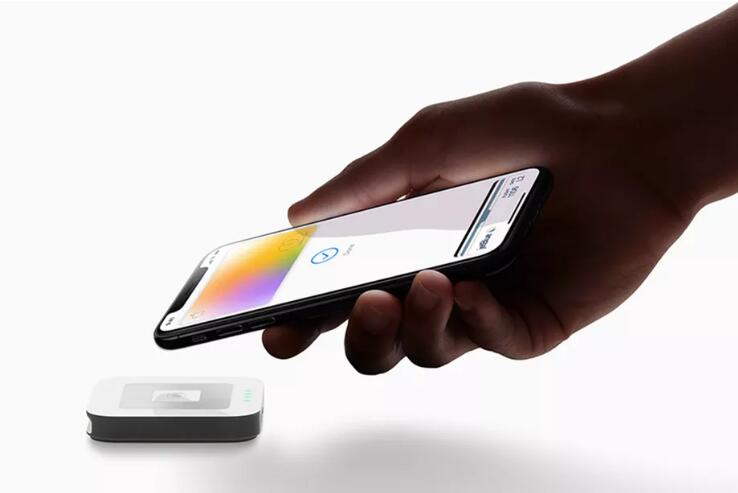
The Apple Card, the company’s credit card that was announced at its services event this past spring, will begin accepting applications in August, the company confirmed during its 2019 third fiscal quarter earnings call.


“Thousands of Apple employees are using the Apple Card every day in a beta test and we will begin to roll out the Apple Card in August,” Apple CEO Tim Cook said.


The Apple Card will come in both a digital and a physical, titanium card form. However, the Apple Card won’t use a traditional 16-digit card number, CVV code, or expiration date as a personal identifier. Instead, it will generate those numbers randomly during each transaction to keep purchases secure. The numbers are also generated on-device, with the company promising that Goldman Sachs, the creditor, won’t be able to track and see where you’ve shopped, what you bought, or how much money you spent.


Apple will also offer incentives for cash back rewards, such as 2 percent back on purchases made with Apple Pay or 3 percent for Apple store purchases. These aren’t the best rewards out there compared to other credit cards, but it’s a relatively convenient card to get if you already use an iPhone and plan to buy a lot more Apple products.


Apple didn’t say exactly when in August the Apple Card is launching, but expect the update to come soon to your Wallet app when applications open.


Source: theverge

Windows
Mac OS
iOS
Linux
3uTools
Win 64-bit For this device
V9.01 2025-12-27
Download
Win 32-bit For this device
V9.01 2025-12-27
Download
3uTools
Intel Chip How to Identify Chip Type
V9.01 2025-12-31
Download
Apple Silicon
V9.01 2025-12-31
Download
How to Identify Chip Type
1.  Click the Apple icon in the top-left corner of the screen and select About This Mac.
2.  Check the Processor or Chip field to determine if it is "Intel" or "Apple".
Please use the 3uTools PC client to install the iOS client:
1、 Install either the Windows or Mac version of 3uTools on your computer
2、 Open the PC client and connect your device to the computer via USB cable
3、 After the connection is successful, wait for the computer to automatically install the mobile app for the device, or locate “Install Mobile App” on the computer and manually click to install.
3uTools
deb file
V3.01 2025-11-20
Download
rpm file
V3.01 2025-11-20
Download
Windows
Windows
iOS
iOS
Android
Android
TV
TV
3uAirPlayer
Win 64-bit For this device
V6.0.2 2025-11-19
Download
Win 32-bit For this device
V6.0.2 2025-11-19
Download
iOS Device Mirroring (No App Required)
1、 Install 3uAirPlayer on the Windows PC
2、 Open Control Center and select Screen Mirroring
3、 From the list, choose your PC to start mirroring
4、 Or connect your iOS device to the PC via USB to begin mirroring
Scan to get "3uAirPlayer" App
3uAirPlayer TV V1.0.18
2025-11-28
TV System Requirements: Android 7.0 or later
Download the TV installation package, copy it to a USB drive, insert it into your TV or set-top box, then select the file from the home screen to install.