 NEWS
NEWS
iOS 13 Beta Hints at an iPhone 11 Event on September 10th
 08/16/2019
 2871
2871
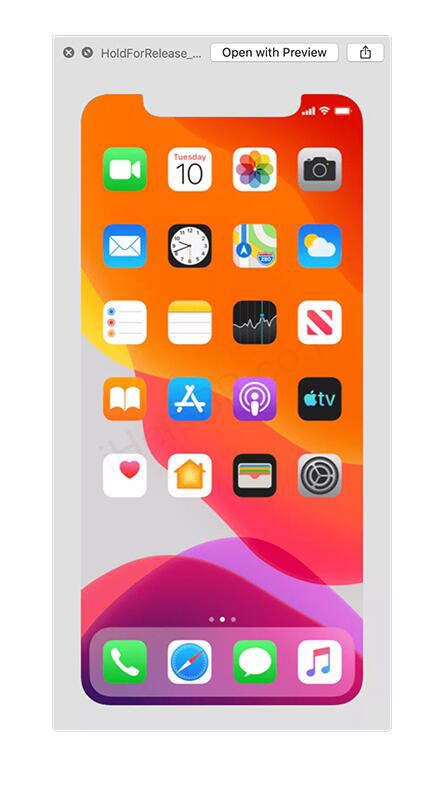
Apple just released iOS 13 beta 7 to developers today, and people are already digging through the software to find hints about the rumored iPhone 11. iHelp BR has discovered that the latest iOS 13 beta includes an asset that hints at an iPhone 11 event date of September 10th. An image, simply named “HoldForRelease,” includes the September 10th date on the calendar of the iOS 13 home screen. Apple uses this particular image for the out of box experience (OOBE) when you first set up a new iPhone.
iOS 12 includes a similar image, with a September 12th date displayed on it, which is the date when Apple announced the iPhone XS. The presence of this image does hint that Apple could be preparing its iPhone 11 event for September 10th, and it’s a date that lines up with previous years. 9to5Mac notes that Apple generally holds its iPhone event on the second Tuesday or Wednesday of September. Apple has previously held iPhone events on these dates:
Wednesday, September 12th, 2018
Tuesday, September 12th, 2017
Wednesday, September 7th, 2016
Wednesday, September 9th, 2015
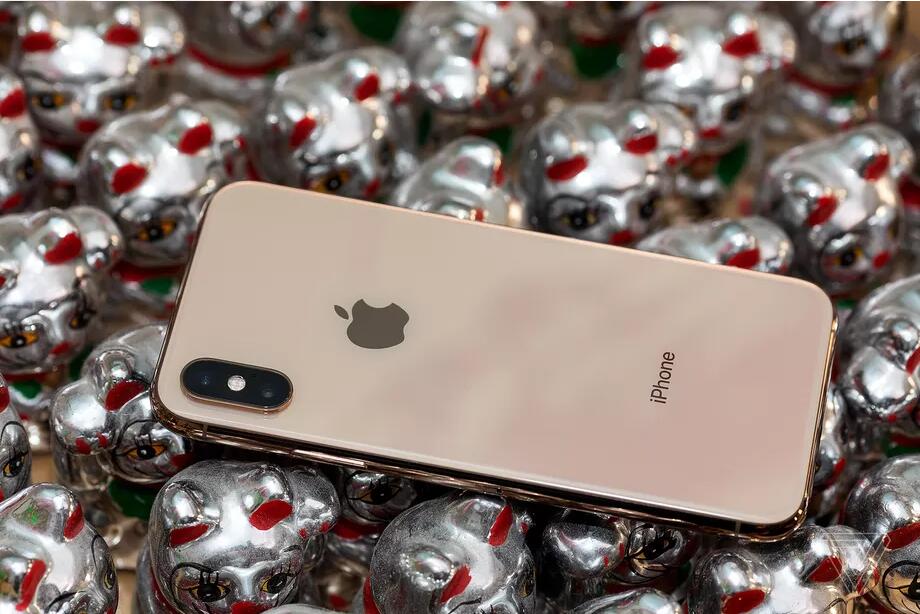
Apple is widely expected to launch three new iPhones during its 2019 event, with at least one sporting a triple-camera system. Rumors from earlier this year suggest that Apple will release successors to the iPhone XR, iPhone XS, and iPhone XS Max. Some reports claim that the successor to the iPhone XS will even have a slightly bigger 6.1-inch display and three cameras on the rear. Earlier reports suggested that the new camera array would be exclusive to the iPhone XS Max successor.
Twitter user CoinX also hinted recently that Apple may opt for the iPhone 11 Pro naming this year. CoinX correctly revealed the iPhone XS a week before its debut last year. If the reports are accurate, then it means Apple could be planning an iPhone 11, iPhone 11 Pro, and iPhone 11 Pro Max. Apple already hit a dead-end for iPhone names last year, and the iPhone 11 Pro Max name would certainly be stretching naming conventions way beyond the norm.
Source: theverge










