 NEWS
NEWS
Nintendo's 'Mario Kart Tour' Game for iOS Launching on September 25
 08/28/2019
 2853
2853
Nintendo's newest game, Mario Kart Tour, is set to launch on iOS devices on September 25, the company announced on Twitter this afternoon.
Starting in May, Nintendo has offered a beta version of the game to a few limited users in the United States and Japan, but the title is nearly ready for a wider launch. 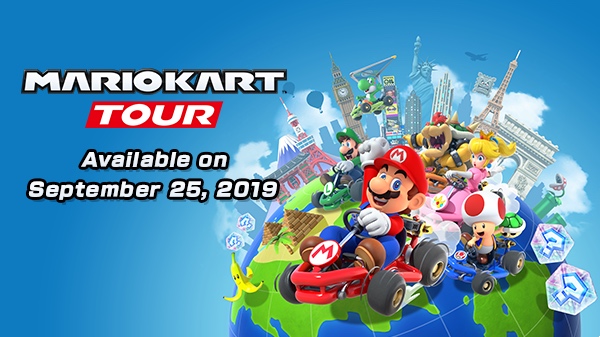
As with the console version of the game, Mario Kart Tour is a kart racer title set in the Mushroom Kingdom. Players are tasked with racing to beat their rivals to the finish line using drifts and items to gain an edge.
Based on reports from the beta, the game uses the same single-handed control scheme as Nintendo's first major iOS game, Super Mario Run. Players are able to swipe their thumb across the screen to control their kart while the kart accelerates on its own.
The default controls cause karts to drift around corners, but those who want more of a challenge or more control can activate manual mode. There are four levels of difficulty to choose from, and the game features the same soundtrack used in previous Mario Kart titles.
Tracks within the game were taken from prior versions of Mario Kart, including Super Mario Kart, Mario Kart 64, Mario Kart: Double Dash, and Mario Kart 7. Nintendo has also included Grand Prix cups that offer a collection of tracks to race through.
Playable characters include Luigi, Toad, Shy Guy, Waluigi, Peach, Toadette, and others, and some characters will be unlockable through in-app purchases. This is a freemium title that's free to download, which means Nintendo is monetizing it through in-game purchases.
Nintendo suggests players who are interested in the game follow the official Mario Kart Tour Twitter account as there's more info on gameplay to come ahead of launch. Pre-orders on the App Store are available starting today, with users able to get a notification when the game launches.
Source: Macrumors










