
NEWS

iPhone 11 Lineup Tipped to Have Familiar Rollout: September 13 Pre-Orders, September 20 Launch

09/02/2019

2516

Apple yesterday invited the media to a special event on Tuesday, September 10 at the Steve Jobs Theater, where it is widely expected to unveil three new iPhones alongside an Apple Watch refresh and other announcements. 
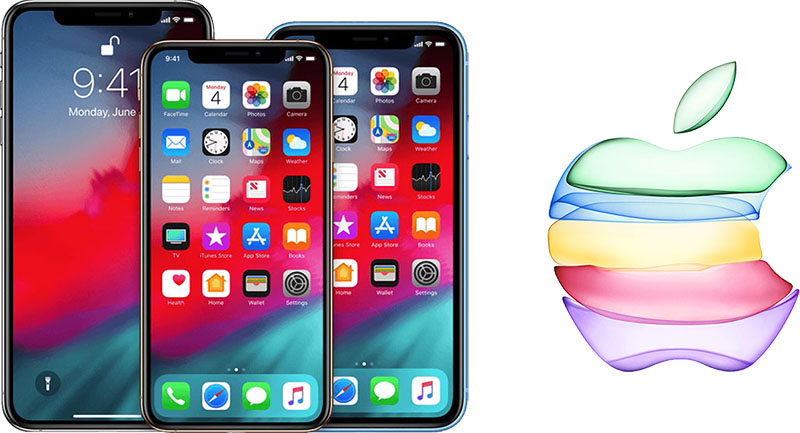
iPhone 11 Lineup Tipped to Have Familiar Rollout: September 13 Pre-Orders, September 20 Launch
A tipster who claims to work at a major carrier has since provided MacRumors with internal communication that suggests the rumored iPhone 11 and iPhone 11 Pro models will be available to pre-order Friday, September 13 ahead of deliveries to customers and in-store availability starting Friday, September 20. 

MacRumors has received similar tips echoing these dates in recent weeks, so there is a good chance they are accurate. 

iPhone pre-orders have begun two to three days after Apple's event for years now, followed by availability a week later, so these dates are hardly a surprise but good to know nevertheless. Unlike the iPhone X in November 2017 and the iPhone XR in October 2018, however, all three 2019 iPhones are expected to launch simultaneously. 

The tipster requested anonymity and asked us not to share the screenshots of the internal communication.


Source: MacRumors

Windows
Mac OS
iOS
Linux
3uTools
Win 64-bit For this device
V9.01 2025-12-27
Download
Win 32-bit For this device
V9.01 2025-12-27
Download
3uTools
Intel Chip How to Identify Chip Type
V9.01 2025-12-31
Download
Apple Silicon
V9.01 2025-12-31
Download
How to Identify Chip Type
1.  Click the Apple icon in the top-left corner of the screen and select About This Mac.
2.  Check the Processor or Chip field to determine if it is "Intel" or "Apple".
Please use the 3uTools PC client to install the iOS client:
1、 Install either the Windows or Mac version of 3uTools on your computer
2、 Open the PC client and connect your device to the computer via USB cable
3、 After the connection is successful, wait for the computer to automatically install the mobile app for the device, or locate “Install Mobile App” on the computer and manually click to install.
3uTools
deb file
V3.01 2025-11-20
Download
rpm file
V3.01 2025-11-20
Download
Windows
Windows
iOS
iOS
Android
Android
TV
TV
3uAirPlayer
Win 64-bit For this device
V6.0.2 2025-11-19
Download
Win 32-bit For this device
V6.0.2 2025-11-19
Download
iOS Device Mirroring (No App Required)
1、 Install 3uAirPlayer on the Windows PC
2、 Open Control Center and select Screen Mirroring
3、 From the list, choose your PC to start mirroring
4、 Or connect your iOS device to the PC via USB to begin mirroring
Scan to get "3uAirPlayer" App
3uAirPlayer TV V1.0.18
2025-11-28
TV System Requirements: Android 7.0 or later
Download the TV installation package, copy it to a USB drive, insert it into your TV or set-top box, then select the file from the home screen to install.




