
NEWS

Apple Card Found to Contain 90% Titanium and 10% Aluminum

09/04/2019

2627

Bloomberg Businessweek sent an Apple Card to University of California, Berkeley professor and mineralogist Hans-Rudolf Wenk to determine the card's atomic makeup. The answer: 90% titanium and 10% aluminum. 
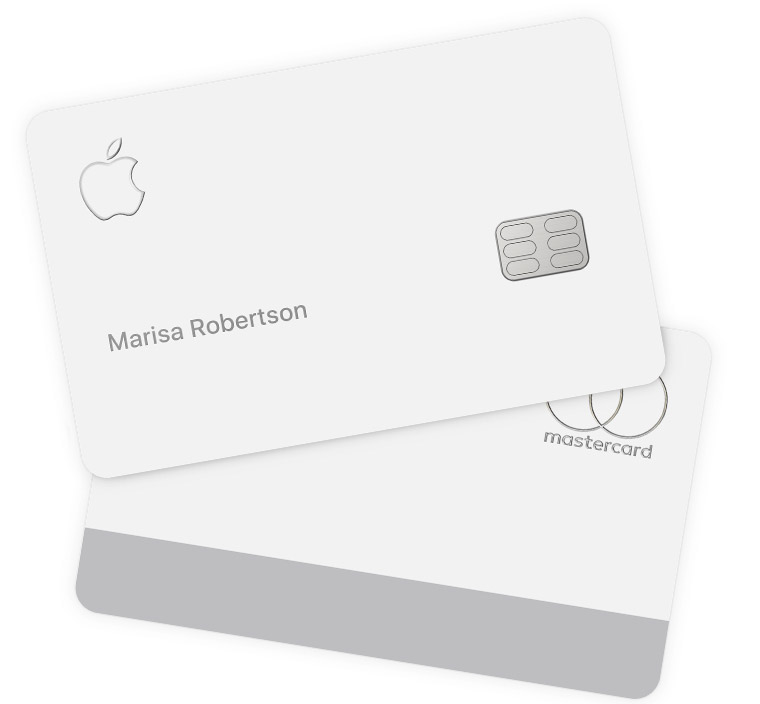
Apple Card Found to Contain 90% Titanium and 10% Aluminum
From the report: But how much titanium? To find out, a Bloomberg Businessweek reporter sent his card to a mineralogist, University of California, Berkeley professor Hans-Rudolf Wenk. Professor Wenk used what's known as a scanning electron microscope, or SEM device, to determine the card's atomic makeup. He found that the answer is about 90%. The rest of the card is aluminum, according to the analysis.


Apple previously said the card's white finish is achieved through a "multi-layer coating process" that is added to the titanium base material. In a recent support document, Apple said if the card comes into contact with hard surfaces or materials, it is possible that the coating can be damaged. 

Apple also said some fabrics, like leather and denim, might cause permanent discoloration on the card that will not wash off.


Source: Macrumors

Windows
Mac OS
iOS
Linux
3uTools
Win 64-bit For this device
V9.01 2025-12-27
Download
Win 32-bit For this device
V9.01 2025-12-27
Download
3uTools
Intel Chip How to Identify Chip Type
V9.01 2025-12-31
Download
Apple Silicon
V9.01 2025-12-31
Download
How to Identify Chip Type
1.  Click the Apple icon in the top-left corner of the screen and select About This Mac.
2.  Check the Processor or Chip field to determine if it is "Intel" or "Apple".
Please use the 3uTools PC client to install the iOS client:
1、 Install either the Windows or Mac version of 3uTools on your computer
2、 Open the PC client and connect your device to the computer via USB cable
3、 After the connection is successful, wait for the computer to automatically install the mobile app for the device, or locate “Install Mobile App” on the computer and manually click to install.
3uTools
deb file
V3.01 2025-11-20
Download
rpm file
V3.01 2025-11-20
Download
Windows
Windows
iOS
iOS
Android
Android
TV
TV
3uAirPlayer
Win 64-bit For this device
V6.0.2 2025-11-19
Download
Win 32-bit For this device
V6.0.2 2025-11-19
Download
iOS Device Mirroring (No App Required)
1、 Install 3uAirPlayer on the Windows PC
2、 Open Control Center and select Screen Mirroring
3、 From the list, choose your PC to start mirroring
4、 Or connect your iOS device to the PC via USB to begin mirroring
Scan to get "3uAirPlayer" App
3uAirPlayer TV V1.0.18
2025-11-28
TV System Requirements: Android 7.0 or later
Download the TV installation package, copy it to a USB drive, insert it into your TV or set-top box, then select the file from the home screen to install.




