 NEWS
NEWS
iOS 27 Rumored to Bring New Design Changes in Two Key Areas
 06/01/2026
 796
796

The next major iPhone software update, iOS 27, will be unveiled on June 8, and rumors indicate it will bring at least two changes for the Liquid Glass design.
#1: New systemwide Liquid Glass slider

Currently in iOS 26, Apple offers one primary option for customizing the systemwide look of Liquid Glass.
Available in Settings ⇾ Display & Brightness ⇾ Liquid Glass, there are two styles available:
- Clear
- Tinted
Clear gives Liquid Glass its full, transparent effect, while Tinted drastically ramps up the opacity and more closely resembles iOS 18’s design.
But according to Bloomberg’s Mark Gurman, Apple always had plans to implement a Liquid Glass slider that let users more iteratively adjust the level of transparency and contrast. Per Gurman:
During development of iOS 26, Apple had been working on a systemwide slider that would allow users to finely control the level of the glass effect. The company was able to implement this feature for the clock on the lock screen but ran into engineering challenges when trying to extend it across the entire system — including app folders, the home screen and navigation bars.
If Apple manages to make that systemwide control work in iOS 27 as desired — alongside broader engineering improvements — the entire conversation around Liquid Glass could once again change dramatically.
Currently, there’s a huge difference between Clear and Tinted versions of Liquid Glass. Hopefully, a new slider could allow users to dial in their exact preferred look.
#2: General tweaks and updates to iterate on iOS 26’s design
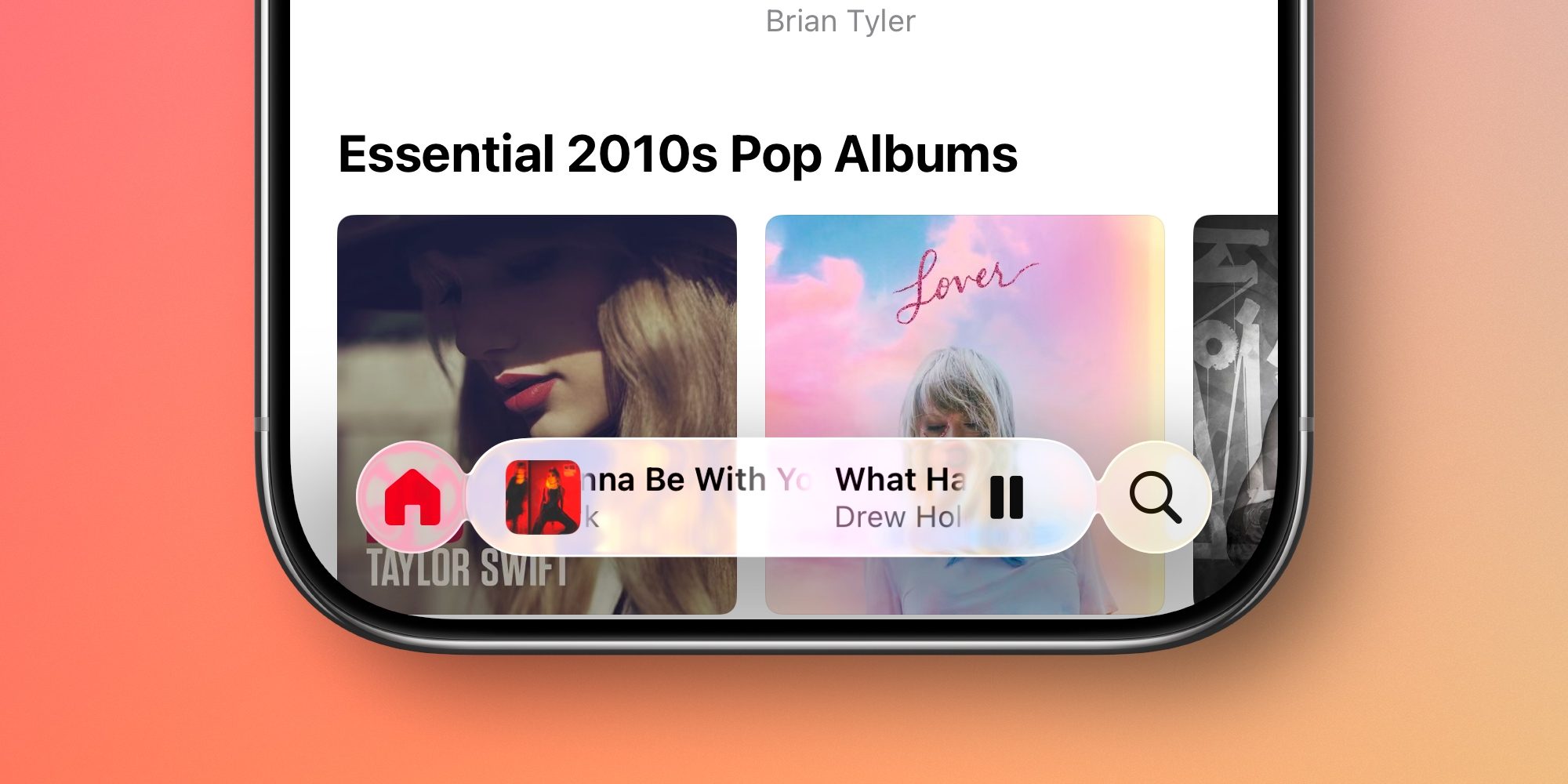
Gurman has also reported that the Liquid Glass design will definitely receive some “tweaks” in iOS 27—but nothing major.
He wrote the following at Bloomberg across two reports:
- “Apple also is planning some tweaks to the interface, though nothing as extensive as last year’s Liquid Glass introduction.”
- ”I expect years of gradual improvements — much like what Apple went through following the introduction of iOS 7.”
Personally, this sounds great to me. While I’m overall a fan of Liquid Glass, there are some UI and UX decisions that still feel like regressions compared to iOS 18.
The biggest offender for me is found in the Music and Podcasts apps. The MiniPlayer frequently shrinks down, making key controls inaccessible unless you tap the navigation bar to cause it to reset.
I’ve similarly gotten pretty tired of needing to constantly tap to make that navigation tab bar reappear in full. Even if Apple doesn’t change the default for everyone, I’d love a setting that lets me stop the tab bar from minimizing ever again.
Source: 9to5mac










