 NEWS
NEWS
Apple Could Remove 3D Touch from New iPhones, Analyst Says
 08/28/2018
 2848
2848
Barclays analyst Blayne Curtis and his associates traveled across Asia last week to meet with companies within Apple's supply chain. Today, they shared new predictions based on the information they gathered.
Highlights from their research note to investors, obtained by MacRumors:
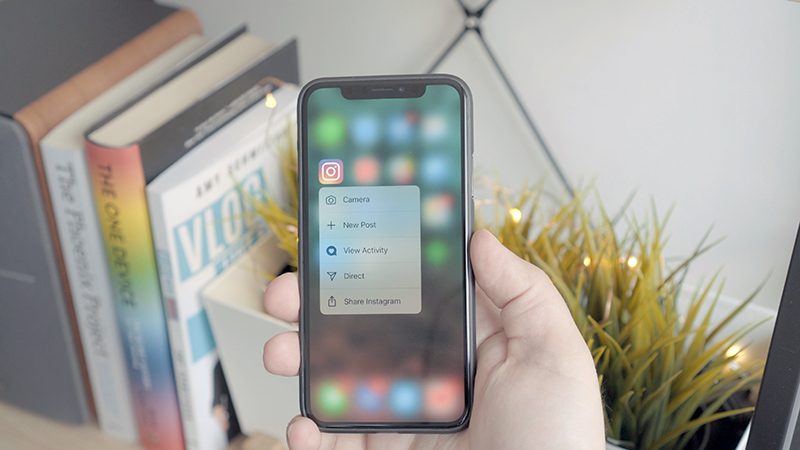
"Barclays says it's "widely understood" that 3D Touch will be removed from iPhones with OLED displays in 2019—aka the third-generation iPhone X and second-generation "iPhone X Plus." However, they caution that the plans aren't finalized yet, so they could change."
Earlier this year, Apple analyst Ming-Chi Kuo said 3D Touch won't be a feature on the rumored 6.1-inch iPhone with an LCD, part of the upcoming 2018 lineup. So, by the sound of it, 3D Touch won't be a feature on any 2019 iPhones, assuming Apple sticks with the same three models expected in 2018.
While the lack of 3D Touch on the 6.1-inch iPhone would make sense, given expectations that it will essentially be a budget iPhone X, it's not entirely clear why it may be removed from the more expensive OLED models next year. As a somewhat hidden feature, perhaps Apple no longer finds it essential.
"AirPod 2" will launch in the fourth quarter of 2019. Meanwhile, an optional wireless charging case for the original AirPods, and Apple's new AirPower charging mat, will be available this September.
This prediction is rather confusing, as back in February, Bloomberg's Mark Gurman said Apple will release new AirPods with a new wireless chip and "Hey Siri" support as early as this year. Gurman also said a subsequent pair of AirPods with water resistance would be released as early as next year.
One possibility is that Apple will add "Hey Siri" support to the existing AirPods this fall by way of a software update, without a new wireless chip, but it's unclear if the current W1 chip can support the feature. In that case, Apple might elect to continue referring to them as first-generation AirPods.
In that scenario, the "AirPods 2" that Barclays is referring to could be the water-resistant pair that Gurman also believes could launch in 2019. However, this is admittedly a bit of a stretch, so it remains to be seen.
Barclays expects the launch of a "cheaper HomePod in 2019," with "broader appeal." The analysts say HomePod sales continue to "underwhelm," with less than five million sold since it launched in January.
Apple analyst Ming-Chi Kuo, along with some Chinese publications, have also claimed that Apple has considered a lower-priced HomePod. One rumor suggested that it could be a Siri-enabled Beats speaker priced around $149 to $199.
Barclays says it "does see the potential for the new iPhones to support pen input," without naming the Apple Pencil specifically.
Source: macrumors










