
NEWS

Apple Patents ‘Universal’ AirPods With Built-In Biometrics

12/05/2018

2471

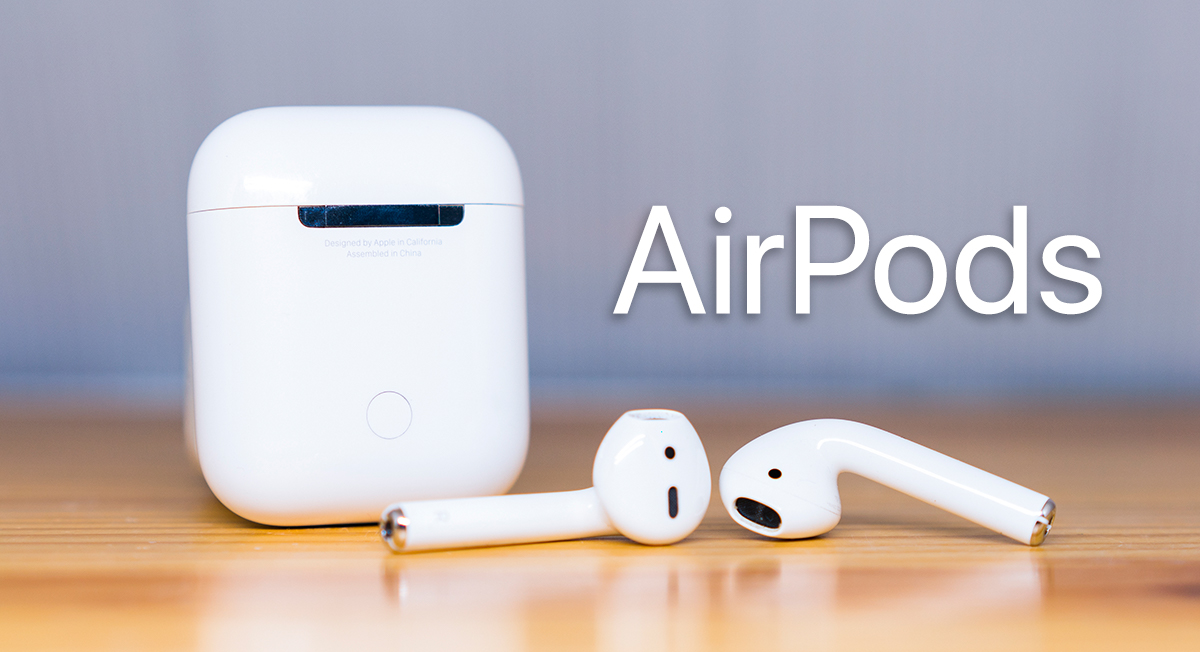
A good majority of our headphones these days still come with labels that indicate whether they should be worn in our left or right ear. However according to a recently discovered patent, it seems that Apple could be toying with the idea of creating a pair of “universal” AirPods, which can be worn in either ear.

Apple Patents ‘Universal’ AirPods With Built-In Biometrics


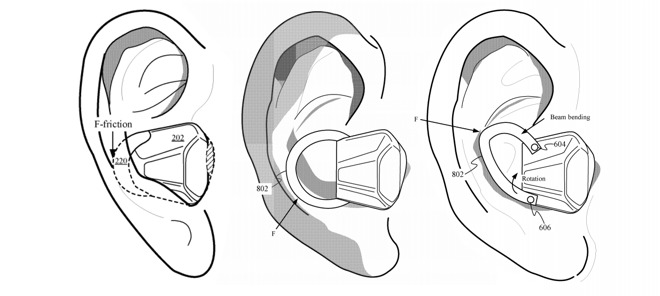
Right now the AirPods have been designed in such a way that even if you wanted to wear the left earbud in your right ear, it would be difficult, but the patent describes how Apple has come up with a design that would allow it to be worn in either ear. Also as 9to5Mac points out, given Apple’s approach towards greener manufacturing procedures, a universal design means that buying a replacement unit in the event it is lost or broken should be easier.

Apple Patents ‘Universal’ AirPods With Built-In Biometrics

The patent also describes how Apple envisions fitting biometric sensors into the AirPods, where one sensor will be pressed up against the wearer’s tragus to take measurements, which could also be used to determine which ear the earbuds are worn in. However given that we’ve seen how some headphones come with the ability to measure one’s heart rate and oxygen levels, those are some of the possibilities of such a design.


Recently analyst Ming-Chi Kuo has come forward to state that a redesigned set of AirPods will not come until at least 2020, but whether this redesign will include some of the features we’re seeing in this patent remains to be seen.


Source: ubergizmo

Windows
Mac OS
iOS
Linux
3uTools
Win 64-bit For this device
V9.01 2025-12-27
Download
Win 32-bit For this device
V9.01 2025-12-27
Download
3uTools
Intel Chip How to Identify Chip Type
V9.01 2025-12-31
Download
Apple Silicon
V9.01 2025-12-31
Download
How to Identify Chip Type
1.  Click the Apple icon in the top-left corner of the screen and select About This Mac.
2.  Check the Processor or Chip field to determine if it is "Intel" or "Apple".
Please use the 3uTools PC client to install the iOS client:
1、 Install either the Windows or Mac version of 3uTools on your computer
2、 Open the PC client and connect your device to the computer via USB cable
3、 After the connection is successful, wait for the computer to automatically install the mobile app for the device, or locate “Install Mobile App” on the computer and manually click to install.
3uTools
deb file
V3.01 2025-11-20
Download
rpm file
V3.01 2025-11-20
Download
Windows
Windows
iOS
iOS
Android
Android
TV
TV
3uAirPlayer
Win 64-bit For this device
V6.0.2 2025-11-19
Download
Win 32-bit For this device
V6.0.2 2025-11-19
Download
iOS Device Mirroring (No App Required)
1、 Install 3uAirPlayer on the Windows PC
2、 Open Control Center and select Screen Mirroring
3、 From the list, choose your PC to start mirroring
4、 Or connect your iOS device to the PC via USB to begin mirroring
Scan to get "3uAirPlayer" App
3uAirPlayer TV V1.0.18
2025-11-28
TV System Requirements: Android 7.0 or later
Download the TV installation package, copy it to a USB drive, insert it into your TV or set-top box, then select the file from the home screen to install.




