 NEWS
NEWS
iFixit's Teardown Finds Two Improvements on New AirPods 2
 04/01/2019
 2995
2995
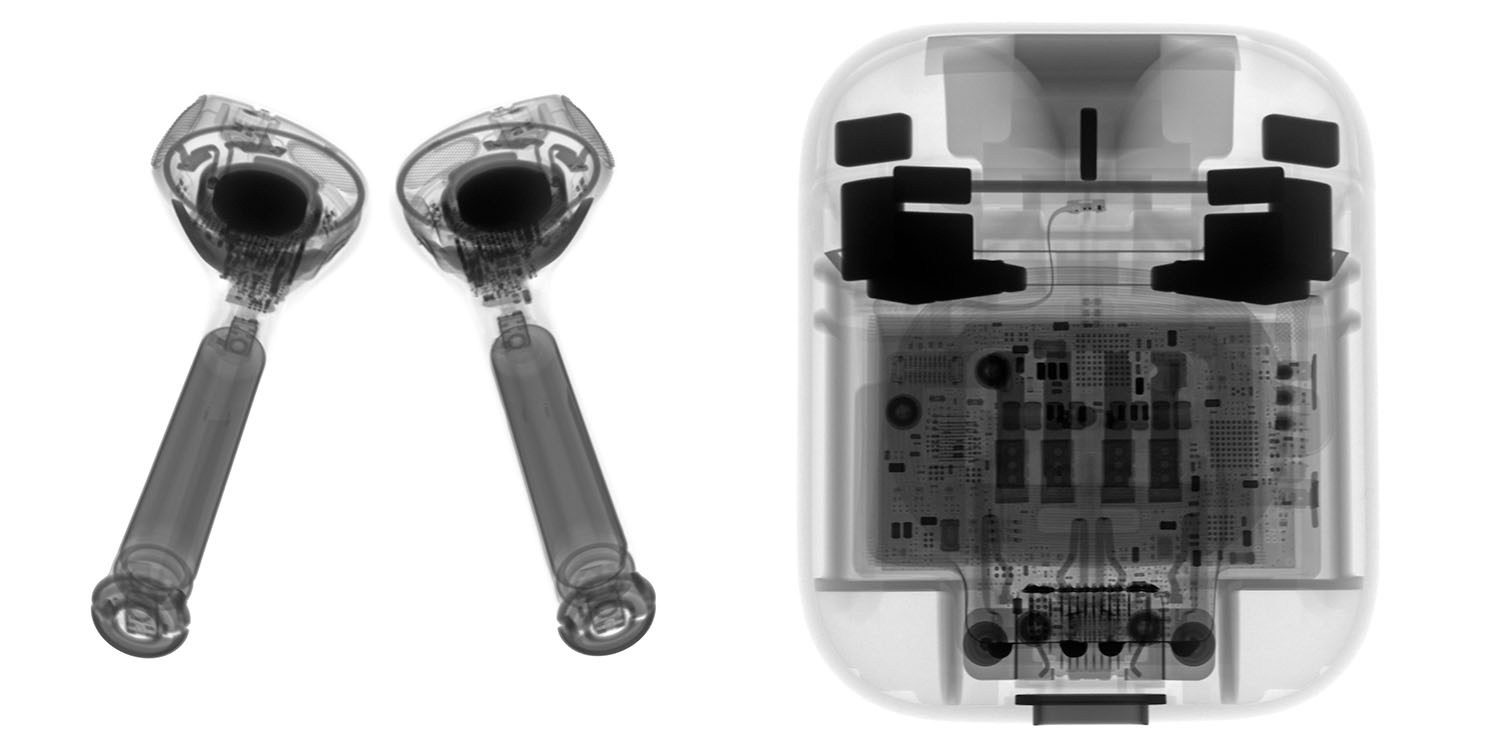
A new Apple product is out, and it, of course, hasn’t taken iFixit long to do its usual teardown – as well as x-rays (above). As you’d expect from the largely unchanged exterior, the iFixit teardown of new AirPods finds very few changes from the first generation, but does see two apparent improvements to the build quality …
iFixit found the dimensions identical to the original, though the new wireless charging case weighs 2.3g more to accommodate the charging coil and circuitry.
The new case (right) looks shinier, but that might just be due to wear on the Gen 1.
As before, the company found that getting into them wasn’t easy. In addition to all the usual iFixit tools, the disassembly required work with a vise, razor blade, heatgun, isopropyl alcohol to soften the adhesive, an ultrasonic knife, and a dental pick!
The batteries are the same as last time in both the AirPods themselves and the case.
Differences between gen 1 and 2 AirPods
iFixit did find two interior differences other than the obvious ones of charging circuitry and relocated status light. The first was a new hinge.
This machined metal hinge looks sturdier compared to the last generation’s, and it definitely has the adhesive to match.
The second was what appears to be better waterproofing.
We immediately notice that this generation’s logic board is more … goopier … than the board that emerged from the wreckage of the first AirPod fiasco—probably to help with water resistance.
Still disposable
No surprise that the company awards the AirPods the same 0 out of 10 for repairability, saying that the product was toast after the teardown.
After two years, AirPods are still disappointingly disposable. Those tiny batteries will fail before long, and good luck replacing them (or even recycling them).
On the plus side, iFixit does think the charging case may be less likely to fail.
This updated case seems designed for increased durability, but not repairability. That beefier hinge and water-repellent coating on the board probably makes for fewer failures […]
The construction isn’t entirely unimproved—this set might survive an extra trip through the washing machine.
Here is the video from iFixit
Source: 9to5mac










