 NEWS
NEWS
Disney CEO Bob Iger Resigns from His Apple Board Seat
 09/17/2019
 3336
3336
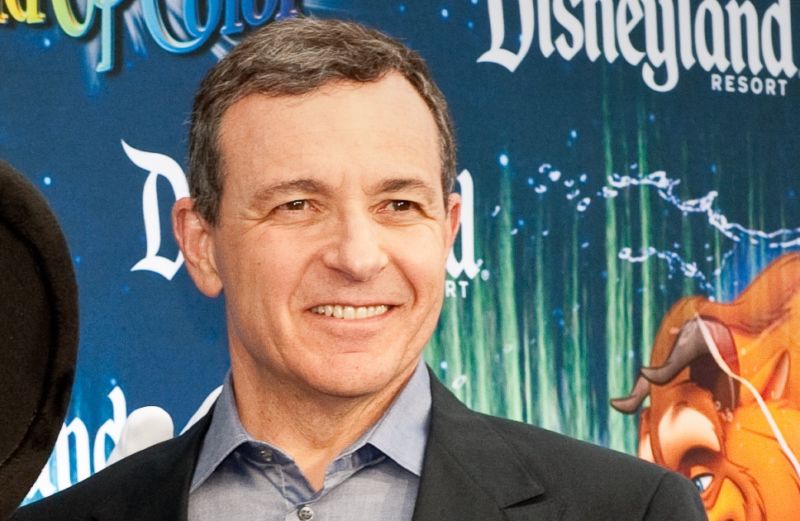
Disney CEO Bob Iger has sat on Apple's board since 2011, but that tenure came to an end this month, according to a SEC filing Apple made on Friday. The filing says that Iger resigned from Apple's board on September 10, the day that Apple announced the pricing and launch date for Apple TV+.
Iger released the following statement:
It has been an extraordinary privilege to have served on the Apple board for eight years, and I have the utmost respect for Tim Cook, his team at Apple and for my fellow board members. Apple is one of the world's most admired companies, known for the quality and integrity of its products and its people and I am forever grateful to have served as a member of the company's board.
Iger's position on the board became a topic of discussion and speculation after Apple and Disney both announced streaming TV services that will launch close to the same time, at similar price points—though neither Iger nor Apple have shared any clarification as to the reason for the resignation.
That said, it might be a reach to frame Disney+ and Apple TV+ as direct competitors at present. For one thing, many consumers subscribe to multiple streaming services, and that practice is likely to become even more the norm in the future entertainment landscape.
For another, Apple TV+ is at present a modestly sized collection of newly produced series, whereas Disney+ combines the massive back catalogs of many of the world's biggest entertainment companies with a far more robust lineup of new series and films. One is boutique; the other is not. And there have been many past instances of an executive, board member, or other figure having a hand in multiple cable TV channels at once, owned by different companies. It's unclear how this differs.
The move could provide a hint as to Apple's future ambitions, however. Right now, Apple TV+'s strategy is small in scope—at least compared to current and future offerings from Disney, Netflix, and WarnerMedia. But this move may suggest that Apple sees its service as something that will become more than a focused niche in the future.
Source: arstechnica










