 NEWS
NEWS
iPhone Supplier Reports big Ramp in Face ID Component Orders Ahead of New iPhones & iPads
 08/09/2018
 3433
3433
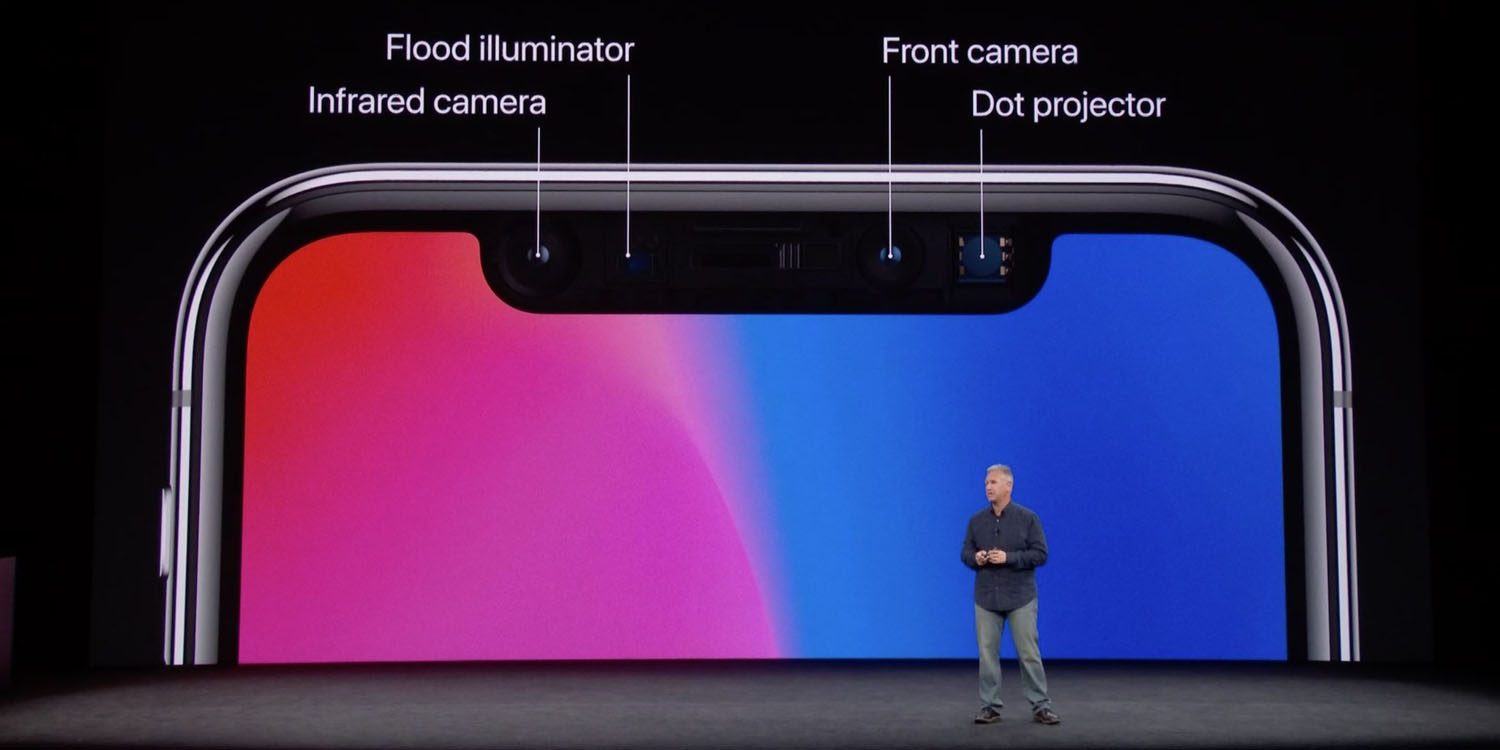
One of Apple’s key suppliers reported earnings today, showing an uptick in its augmented reality and 3D-sensing business. Lumentum Holdings serves as Apple’s primary supplier of vertical-cavity surface-emitting laser components, or VCSEL. This component is what’s used in the iPhone’s front-facing camera for its Face ID and Animoji technology.
In its earnings release, Lumentum Holdings touted a better-than-expected June quarter. The company explained that it has experienced an uptick in its AR and 3D-sensing business sooner-than-expected, which is attributable to Apple ramping up production of this year’s new iPhones.
Lumentum is Apple’s largest supplier of the Face ID sensing chip technology, with about 75 percent marketshare. As reported by Loup Ventures, the company reported 3D sensing revenue of between $60 and $65 million, with a particularly strong uptick towards the end of the quarter, which it expects to continue through the end of the year:
"However, at the end of the Jun-18 quarter, the company began shipping higher volumes to key customers (aka Apple), which exceeded Management expectations. More importantly, the company continues to anticipate order volume to significantly accelerate in Sep-18 and Dec-18 quarter."
Perhaps most notable here is that Apple has yet again secured a large portion of VCSEL orders for the year. Such 3D sensing and augmented reality components continue to be highly supply constrained, and Apple placing such large orders with company’s like Lumentum makes it hard for Android manufacturers to get in on the technology.
"Given Lumentum and other VCSEL suppliers continue to be capacity constrained, we believe Apple has once again secured the majority of all VCSELs produced in 2018, further expanding their lead in AR."
Apple’s increase in Face ID component orders shouldn’t come as too big of a surprise. It’s just the latest piece of evidence to suggest that Face ID is expanding to new iPhone and iPad models this year.
Source: 9to5mac










