NEWS

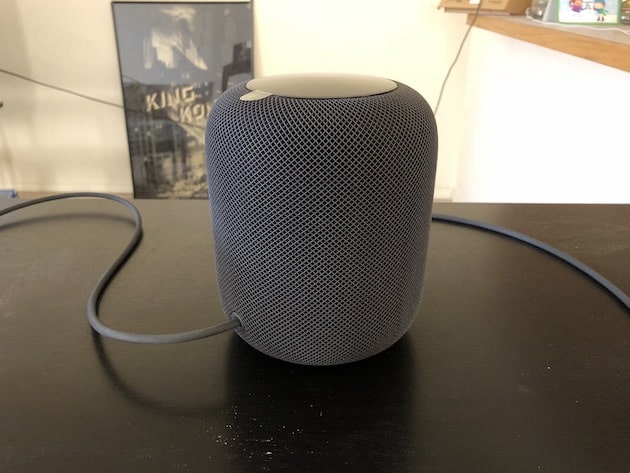
Apple Reveals ‘Early 2019’ Launch for HomePod in China

12/06/2018

2215

Apple Reveals ‘Early 2019’ Launch for HomePod in China


When Apple first announced its first smart speaker, the HomePod, it also confirmed a limited initial release in Australia, the United States, and the United Kingdom.


But the device has been expanding in availability since then. In June of this year, for instance, the smart speaker arrived in Canada, France, and Germany. And, most recently, the HomePod launched in Spain and Mexico — along with a rumor that the device could launch in Italy soon. And now there is one more market to circle on the globe.


Apple has confirmed that the HomePod will finally launch in China and Hong Kong in the early part of 2019. Unfortunately, there isn’t an exact date just yet, and customers in China can’t put in their order for the smart speaker, either. There is a landing page for the device, though, so we’re moving in the right direction at least.


The HomePod will support Traditional, Simplified, and Hong Kong Traditional Chinese language for Siri interaction. And, just like in the other markets, the HomePod will be available in both Black and White when it launches in China next year. It is priced at RMB 2,799.


Source: iphonehacks


Windows
Mac OS
iOS
Linux
3uTools
Win 64-bit For this device
V9.01 2025-12-27
Download
Win 32-bit For this device
V9.01 2025-12-27
Download
3uTools
Intel Chip How to Identify Chip Type
V9.01 2025-12-31
Download
Apple Silicon
V9.01 2025-12-31
Download
How to Identify Chip Type
1.  Click the Apple icon in the top-left corner of the screen and select About This Mac.
2.  Check the Processor or Chip field to determine if it is "Intel" or "Apple".
Please use the 3uTools PC client to install the iOS client:
1、 Install either the Windows or Mac version of 3uTools on your computer
2、 Open the PC client and connect your device to the computer via USB cable
3、 After the connection is successful, wait for the computer to automatically install the mobile app for the device, or locate “Install Mobile App” on the computer and manually click to install.
3uTools
deb file
V3.01 2025-11-20
Download
rpm file
V3.01 2025-11-20
Download
Windows
Windows
iOS
iOS
Android
Android
TV
TV
3uAirPlayer
Win 64-bit For this device
V6.0.2 2025-11-19
Download
Win 32-bit For this device
V6.0.2 2025-11-19
Download
iOS Device Mirroring (No App Required)
1、 Install 3uAirPlayer on the Windows PC
2、 Open Control Center and select Screen Mirroring
3、 From the list, choose your PC to start mirroring
4、 Or connect your iOS device to the PC via USB to begin mirroring
Scan to get "3uAirPlayer" App
3uAirPlayer TV V1.0.18
2025-11-28
TV System Requirements: Android 7.0 or later
Download the TV installation package, copy it to a USB drive, insert it into your TV or set-top box, then select the file from the home screen to install.